©American Audio® - www.americanaudio.eu VMS2™ User Manual Page 32
17. COMPUTER CONNECTION
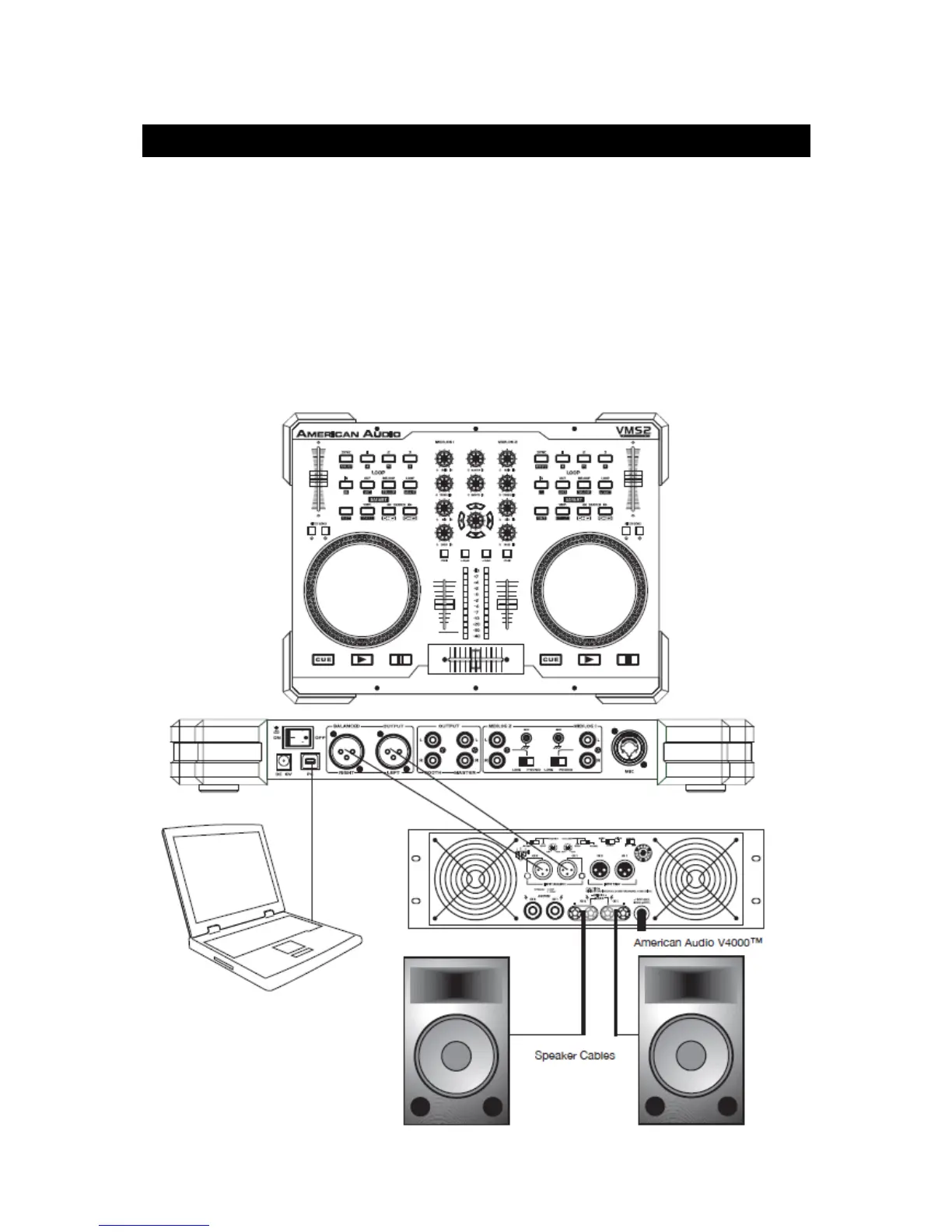
17.1 CONNECTING THE VMS2™ TO YOUR PC
Connect the VMS2™ to your PC by using the USB ports located on the rear of the VMS2™
and your PC. Connect the supplied USB cable to the USB port on the rear of the VMS2™, and
the other end connects to the USB port on your computer.
Note: Before connecting your VMS2™ to your computer or laptop, we highly recommend that
you install the provided software. The Virtual DJ version included with this product is specifi-
cally tailored to work with the VMS2™ with no setup required. The setup of other non-factory
authorized drivers and software is far more complex and in some instances not as reliable.


 To Next Page