©American Audio® - www.americanaudio.eu VMS2™ User Manual Page 29
15. EQ MODES
The EQ for the USB audio can work in
two different modes, Pre & Post EQ.
These EQ modes work in the 4 out
interface mode that is described in
chapter 13.1 4 Out Mode.
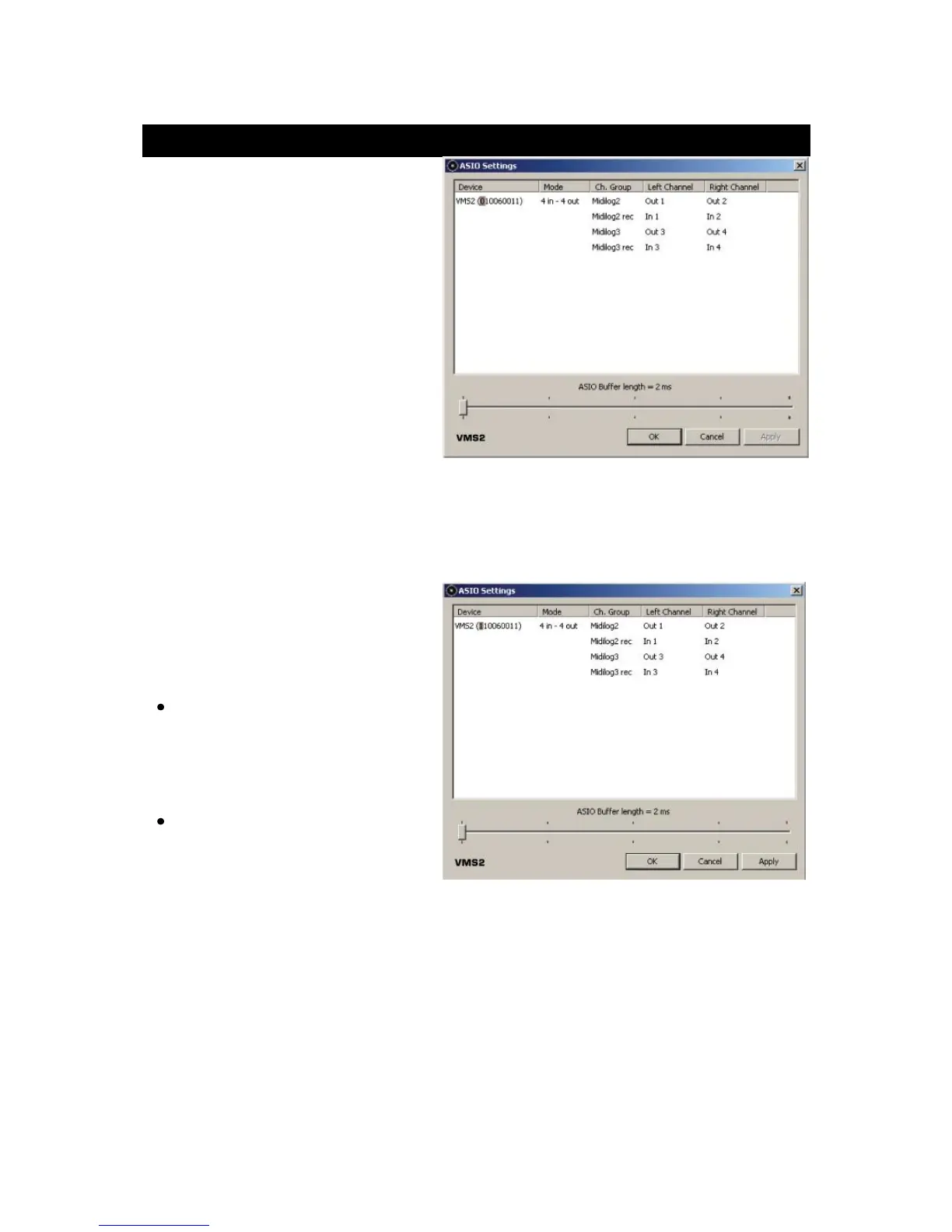
In Pre EQ, the USB audio signal is
affected by the VMS2™ EQ. Pre EQ is
the default EQ. In Pre EQ mode the
ASIO Driver will list the VMS2™ device
number; the first number in the
sequence will be a "0" (See picture).
Note: Beware that mapping the MIDI on the EQ knobs in this mode will cause your audio to
process the EQ from the software and VMS2™ EQ.
Post EQ is for users who prefer using
the EQ from their software. To toggle
the Post EQ mode on and off, do as
follows:
Before powering up the VMS2™,
press and hold the Forward
Search Button (8) on deck 2 and
then power on the unit.
Release the button - your
computer may reinstall the
VMS2™ as a new device, please
allow 10-20 seconds for the
change to take place.
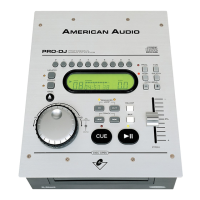
Confirm the EQ change by checking the ASIO Driver configuration. The first number in the
sequence will be a "1" in this mode (See picture).
Note: Make sure you are using software where you can map the MIDI from the EQ and that
the EQ has been mapped when using this mode.


 To Next Page