The included version of Virtual DJ includes a
Firmware update utility. It is necessary to
install this. To update your VMS2™:
Please check your computer audio
settings and ensure that the VMS2™ is
not set as a default playback, playback
recording, or MIDI device. This will
interfere with the update and software
applications.
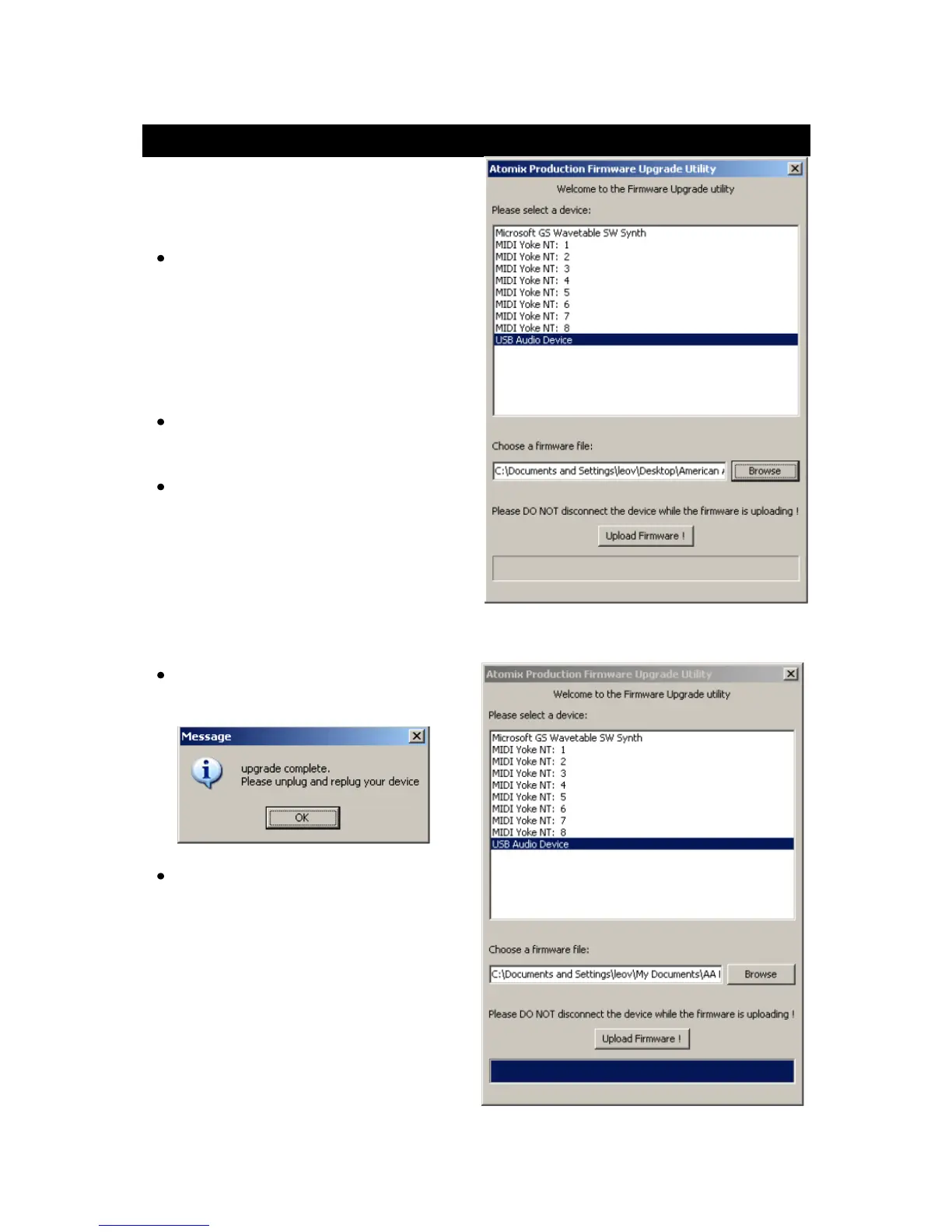
Click Start Menu > All Programs >
Virtual DJ > FIRMWARE Update.
Select the VMS2™ or USB Audio Device
(Windows XP). Load the update file by
clicking browse and going to the file
location.
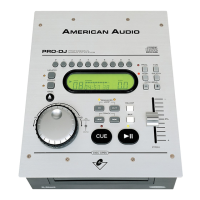
Wait until the bar is filled in completely
and "Upgrade Complete" is displayed.
Unplug the USB and shut down the
VMS2™.


 To Next Page