Configuring the Intellex
30 Intellex®
5 Repeat steps 2–4 for the Night Filter.
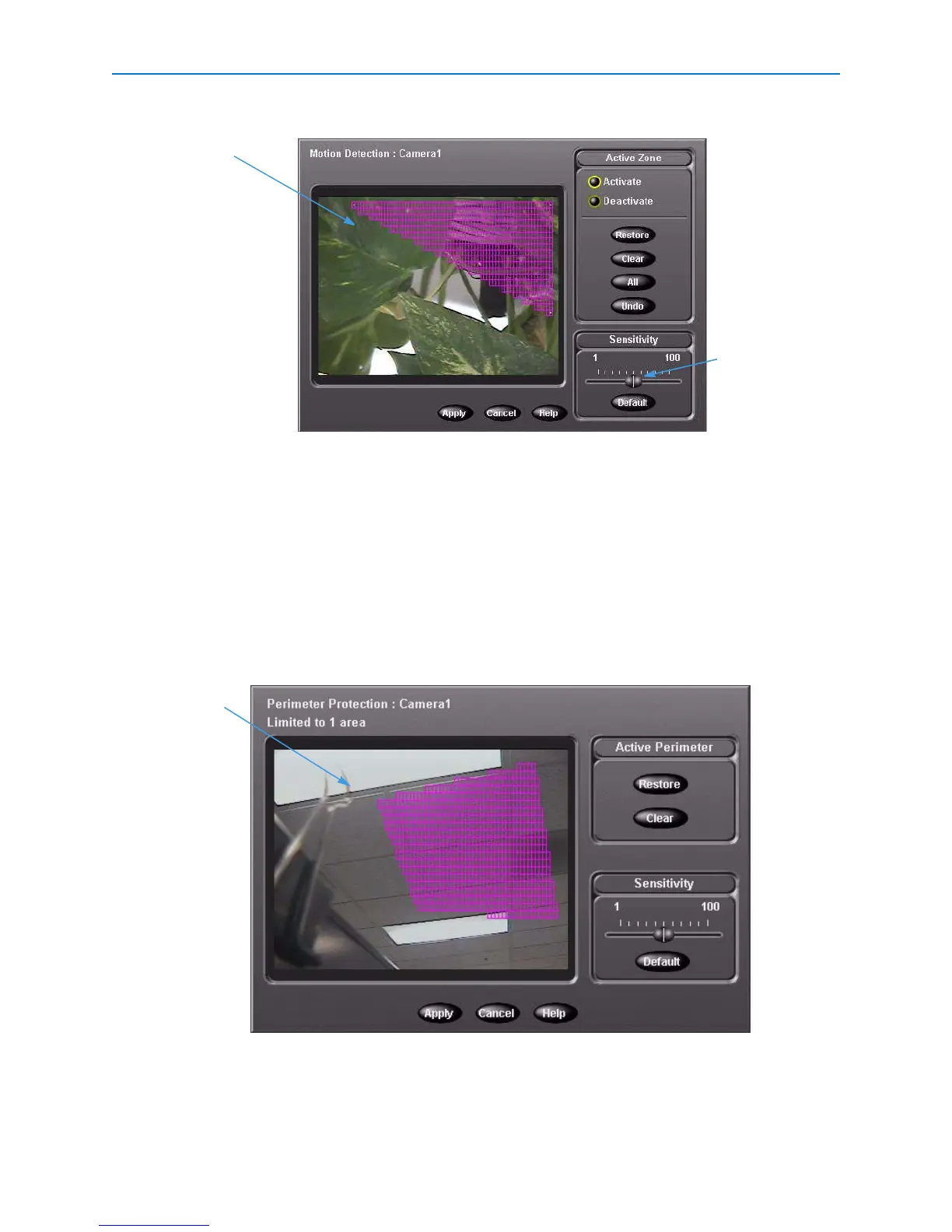
Setting Up Perimeter Protection
Perimeter protection searches for objects that cross into or out of the target area.
1 From the Setup Options screen, click Schedule.
2 From the Camera 1-8 and 9-16 tabs, choose Day Filter > Perimeter Protection. Click Setup.
3 In the draw zone: click and draw the target area. The shape must form an enclosed boundary.
4 Adjust sensitivity with the Sensitivity slider. Click Apply.
The perimeter protection filter allows only one detection area.
5 Repeat steps 2–4 for the Night Filter.
Draw zone
Slider
Draw zone


 To Next Page
 Loading...




