Intellex Web Server
Installation and Configuration Guide 75
Connecting to an Intellex
1 Open a Web Browser.
2 In the address bar, type <http://> followed by the IP address or Intellex machine name. The
Video Server screen displays:
3 Click on View Video.
4 Enter your user name and password and click OK.
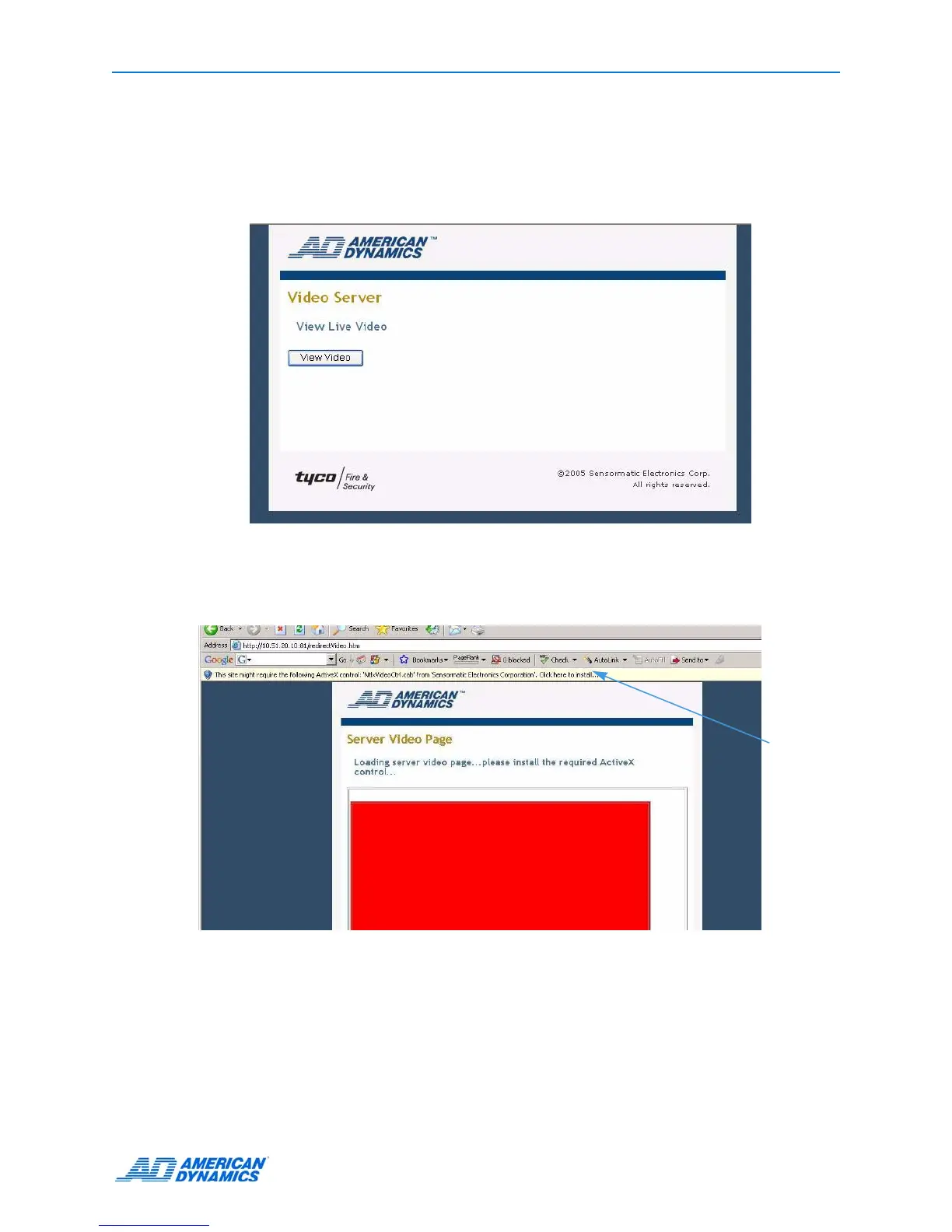
5 If this is the first time you are logging into IWS, the following screen will display:
6 You need to install Active X before you can see live video:
a Click on the Active X bar at the top of the page and select Install Active X Control.
b Click Install on the Security Warning dialog.
Click on
the Active
X bar to
install.


 To Next Page
 Loading...




