Configuring the Intellex
Installation and Configuration Guide 41
d Click OK.
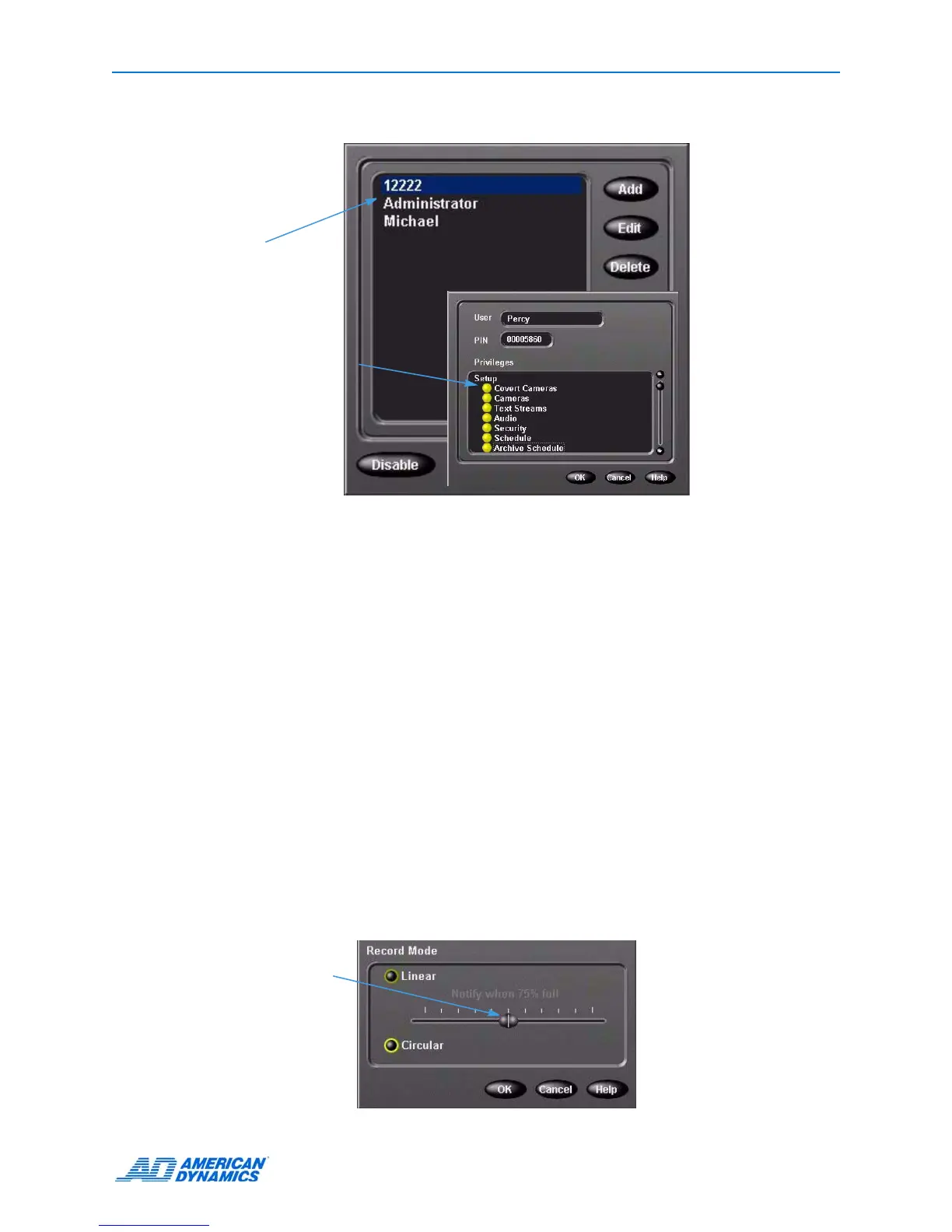
11 To remove a user, click Delete.
Policy Manager for Intellex
This software is installed on a server that provides advanced security for the video network.
Use this software to:
• Create user accounts for Intellex application users.
• Assign access and management privileges.
For more information, see the Policy Manager for Intellex Installation and User’s Guides.
Setting Up Record Mode
1 From the Setup Options screen, click Record Mode.
2 Choose Linear or Circular recording behavior when the database is full.
• Linear: when the database is full, the unit displays a notification screen and recording stops.
Triggers a notification screen when image database is 50% full or greater.
• Circular: when the database is full, the unit starts recording from the beginning of the
database and records over old video.
3 In Linear mode, move the slider to specify the percentage of database space used before a
notification message appears.
This window
displays all
authorized users.
Select functions
the user can
modify.
Slider


 To Next Page
 Loading...




