Configuring the Intellex
48 Intellex®
3 To modify an item in the source list, highlight it, and click Edit (or double-click it). The Email
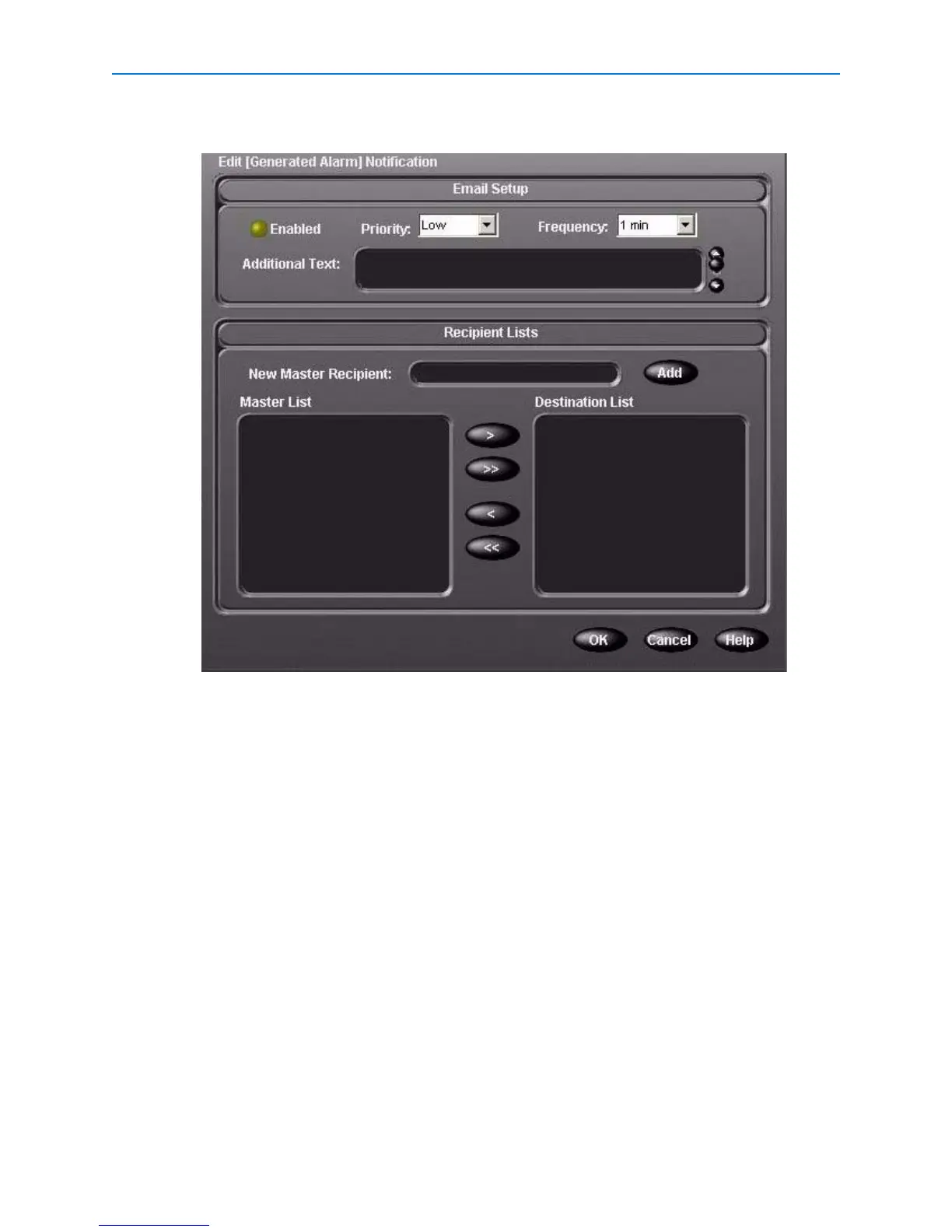
Setup screen appears.
4 From the Email Setup screen, you can:
a Enable or disable email
b Set the email priority
c Set the frequency
d Add more text to the email message
e Select entries from the Master Recipient list to add to the Destination Recipient list
f Remove entries from the Destination Recipient list
g Add new recipients to the list
5 Click OK to save your update. The Email Notification Summary screen reappears.


 To Next Page
 Loading...




