User`sManual
8/18
5.4.SPECTRUMCHART
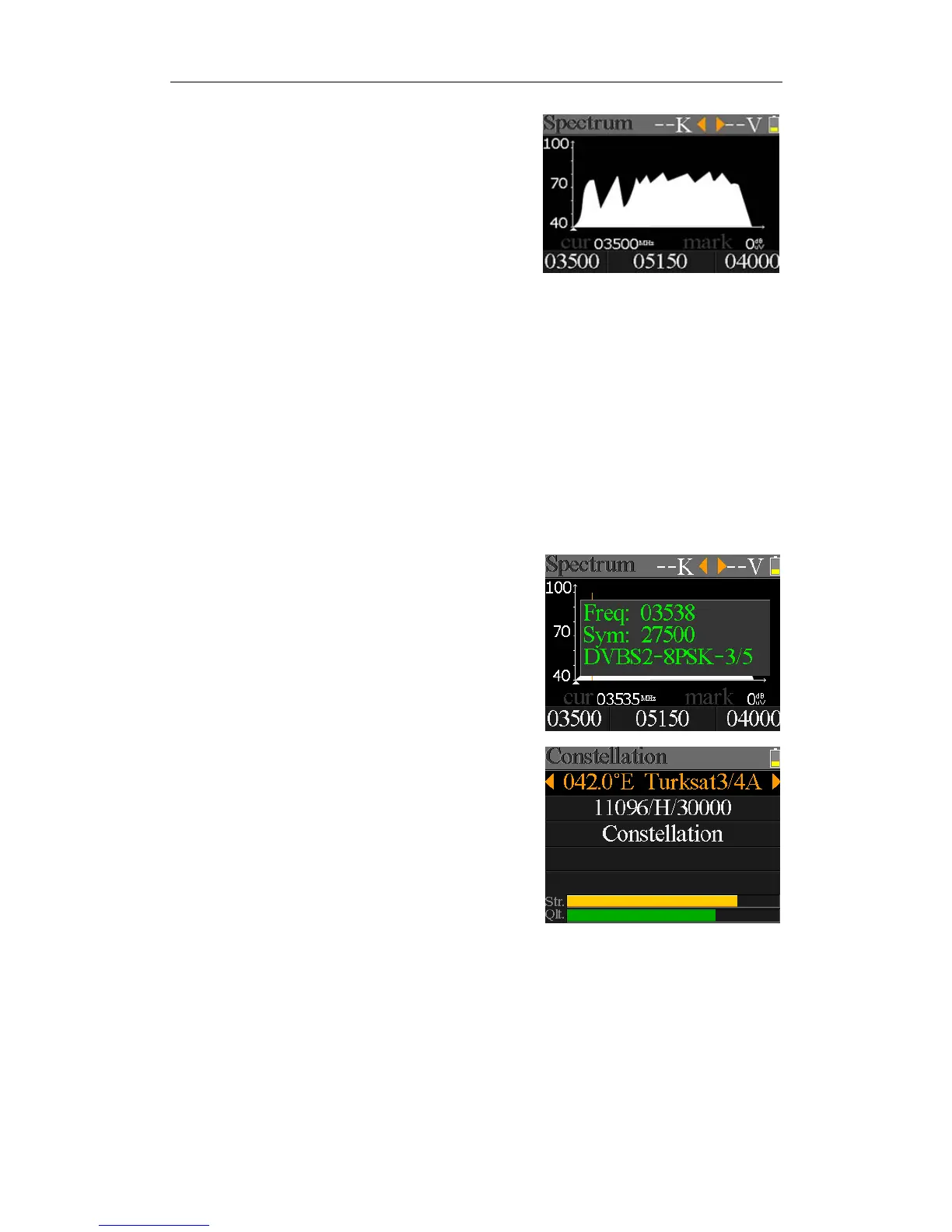
Thismenuwillshowthespectrumchartofsetting
frequencyrangeoncurrentcableline.Press[/]to
switchcurserfocusbetweenStartFrequency,LNBType,
EndFrequency,LNBPower/22KandCurrentFrequency
Mark.
z ‐‐K: Showthe22kstatus.‐–K:22koff;22k:22kon
z ‐‐V: ShowtheRFpoweroutputst
atus.Thevaluesare:13V,18VandOFF(‐‐V)
z 40~70~100:Therangeofpowerlevel.Andtherangeis0~100
z : Thecurrentfrequencycurse,press[/]tosetthecurrentfrequency.
z 03500: Thestartfrequencyofthesp
ectrumchart.Press[OK]toeditit.
z mark: Thepowerlevelvalueofcurrentfrequency
z 04000: Theendfrequencyofthespectrumchart.Press[OK]toeditit.
z cur: Thecurrentfrequency
z 05150: ThecurrentLNBtypemode.
Press[/]toswitchbetweenLNBtypes.
Press[O
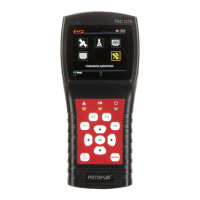
K]buttontocheckwhetherthecurrentfrequency
canbelockedornot.Adialogwillshowthelocked
transponderonceitlocks.
5.5.CONSTELLATION
MovethecursetoConstellationiconandpressOKtoselect
satelliteandtransponderforconstellationanalyzer.See
thefigurebelow:
z 042.0°ETurksat3/4A: Thecurrentsatellite.Press[/]toswitchbetween
satellitesandpress[OK]toentersatellitelisttoselectsatellite.
Press[OK]buttontoselectth
efocusedsatelliteandpress
[MENU]toexitfromeditmenu.Alltheotherparameterson
themenuwillberefreshedaccordingtotheselectedsatellite.
z 11096/H/30000: Thecurrenttransponder,press[/]toswitchbetween
transponders


 To Next Page