User`sManual
13/18
6.2AUTOSCAN
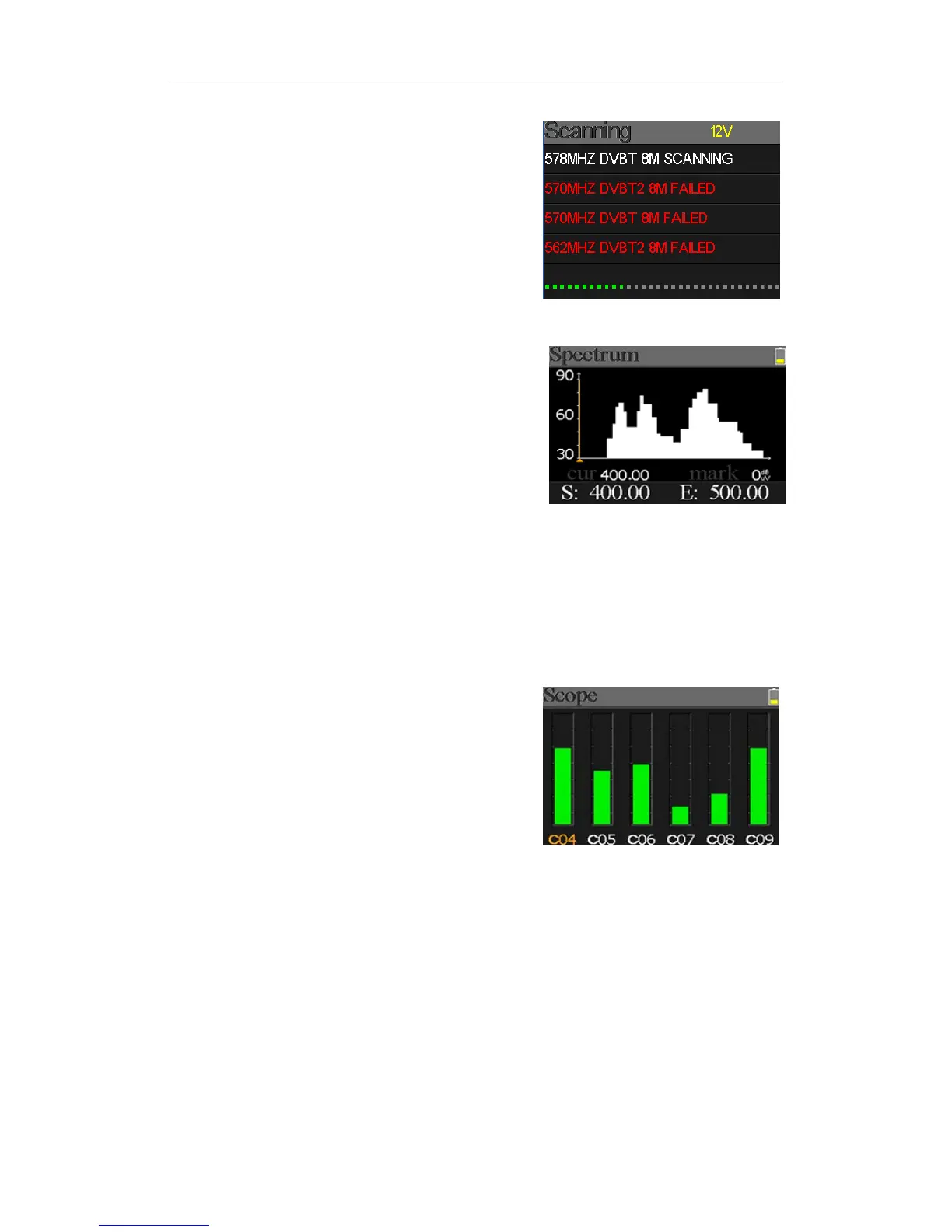
Themeterwillscanallthesavedfrequenciesandshowthe
lockstatusonebyoneandwillthenreturntothemain
menuoncescanningisfinished.Press[MENU]toaborta
scaninprogressandreturntothemainmenu.
6.3SPECTRUMCHART
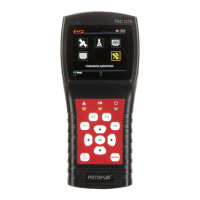
Thismenushowsthespectrumchartofthesetting
frequencyrange.Pleaseseebelowscreenshot.
Press[/]toswitchbetweencur,S:andE:
z 30~60~90: Therangeofthelevelvalue.
z : Thecurseofthecurrentfrequency.Press[/]tochangethevalue.
z cur:
Thecurrentselectedfrequency.
z mark: Thepowerlevelofthecurrentfrequencyinthespectrumchart.
z S: Thestartfrequencyofthespectrumchart.
z E: Theendfrequencyofthespectrumchart.
6.4SCOPE
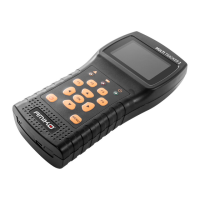
Thisscreenshow6channelslevel(dBuV)inonepage,use
[/]tomovefocusonchannelnumberandpress[OK]
changechannelnumber.
6.5RFCHANNELLIST
ThismenushowsallthelockedfrequenciesduringAutoScan.
6.6SETTING
Usercanenable/disablethepowersupplyforantenna.5Vand12Voutputaresupported.Andalso
usercansettoscanDVB‐T,DVB‐T2andbothofthemduringAutoScan.


 To Next Page