M5900 Keyboard - 4
Using the 35-key Keypad - cont’d.
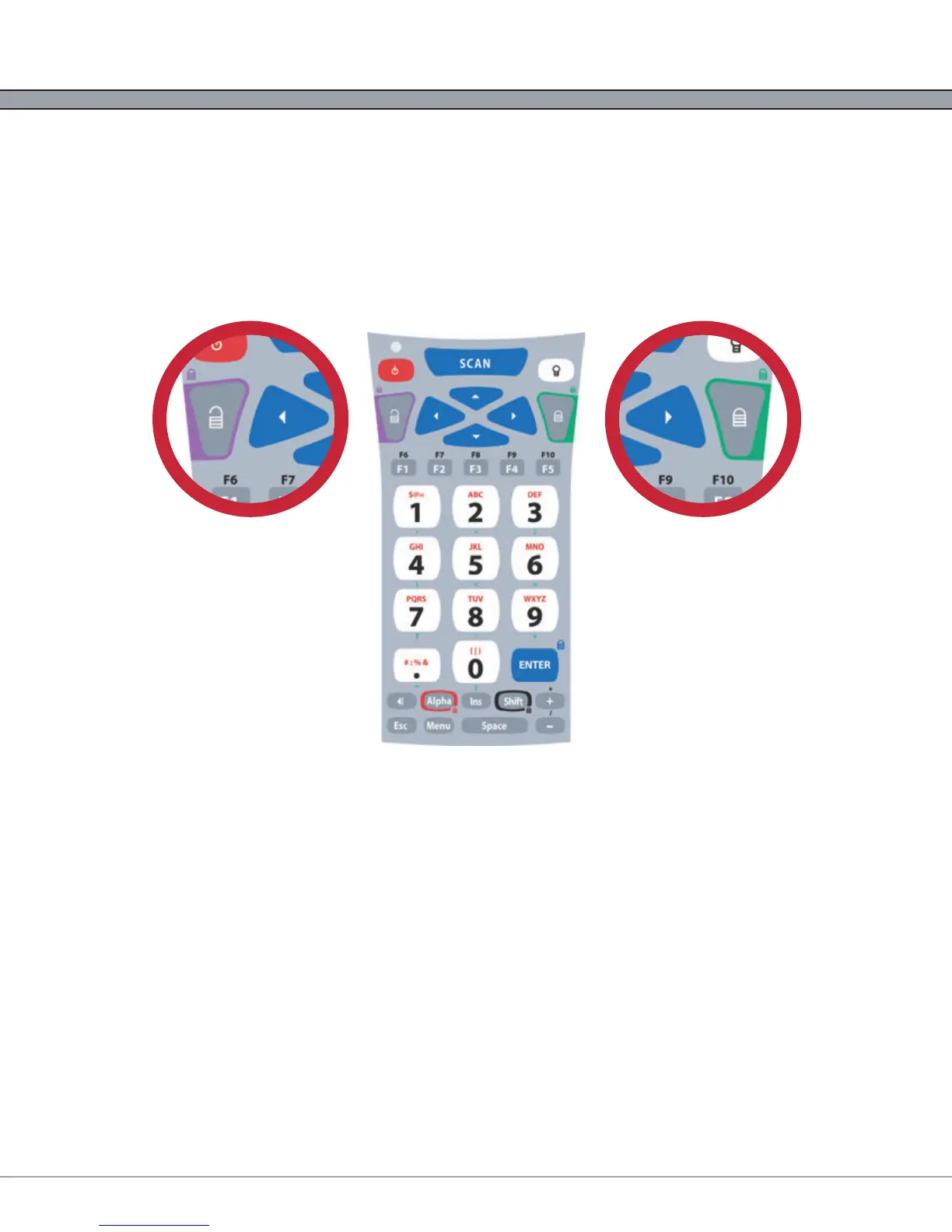
Using Lock and Unlock on the 35-key Keypad
If the user needs to input a large amount of alphabetic data, they can temporarily enable the Alpha-Lock
feature by pressing the Lock/Blue Modifier followed by the [Alpha] key. To disable Alpha-Lock, the user
can press the Unlock/Yellow Modifier followed by the [Alpha] key.
The [Shift] key can be locked and unlocked in the same manner to create a CAPS lock.
Locking the Keypad
The M5900 35-key numeric keypad can also be completely disabled to prevent unwanted key presses.
This is useful if the user is transporting the M5900 hand-held computer in a holster but does not wish to
power off the device.
To lock the M5900 35-key Keypad, press the Lock/Blue Modifier followed by the [Esc] key. The unit will
disregard any further key presses and display a warning to the user. To re-enable the keypad, press the
Unlock/Yellow Modifier followed by the [Esc] key.



 To Next Page