17
Updating the Firmware
The M5900 has a built-in function which allows updating of the firmware. The files will
be transferred to the M5900 unit over the serial or USB cables. The AML programming
utility will be required which is included in the Program Generator package.
To upgrade the M5900 firmware you must force a cold boot as described above. When
turning the unit back on for the first time press and hold the [Menu], [Space] and [Shift]
key simultaneously then press the power key. Once the AML M5900 splash screen
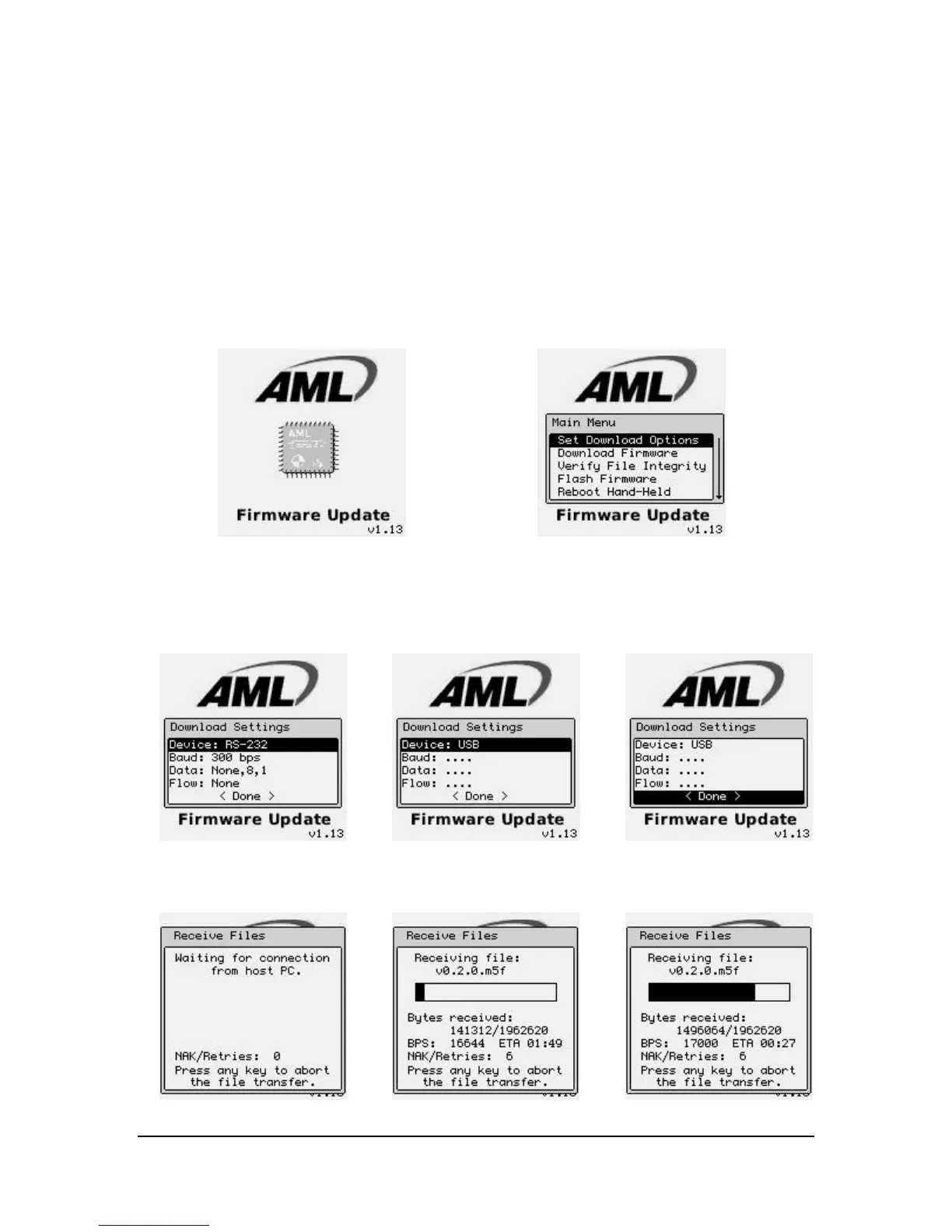
appears release all the keys. The unit should now show the “Firmware Update” screen.
The “Download Settings” screen allows the user to set the proper communications type
and protocol.
Once the protocol is set, select the “< Done >” function.



 To Next Page