45
PROTOCOL SETTINGS
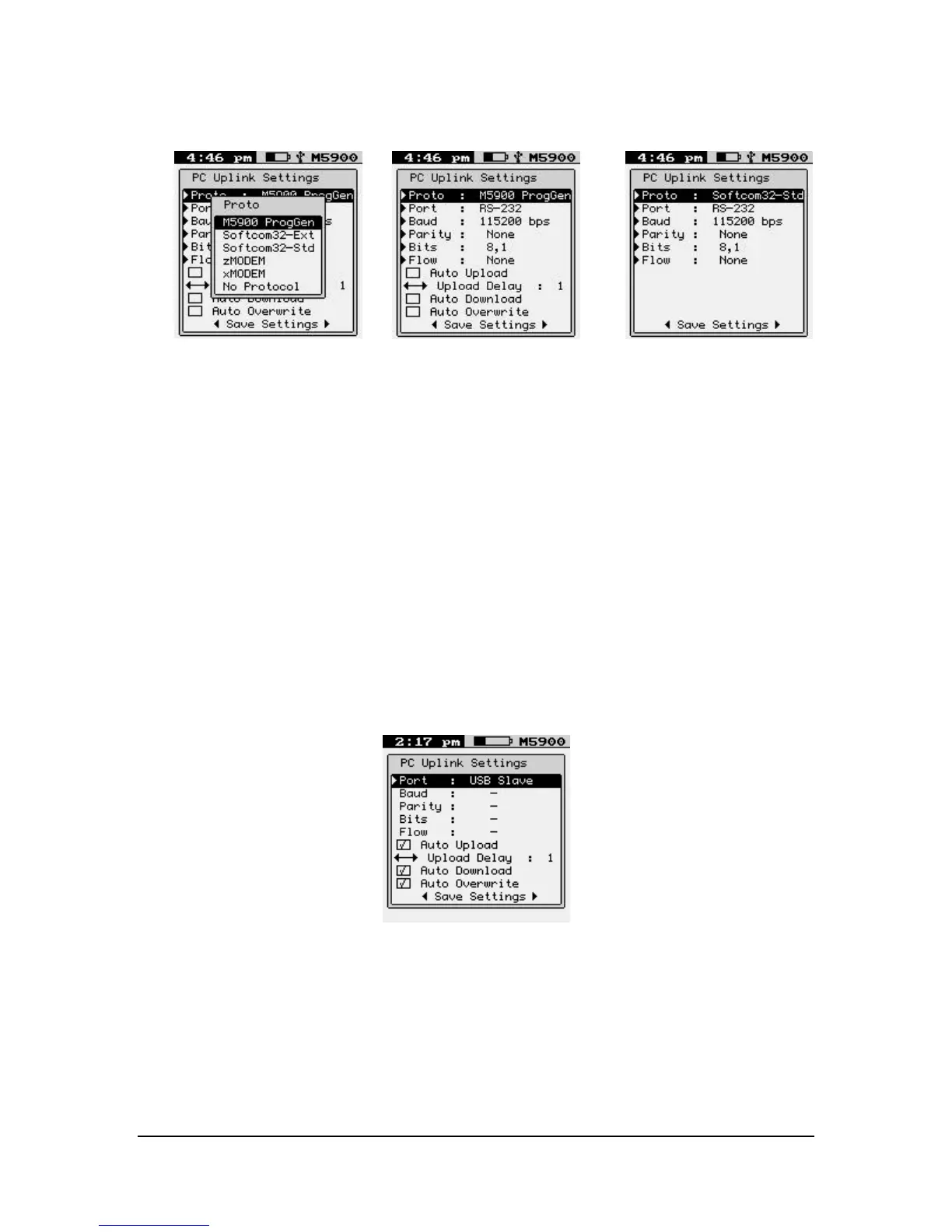
Set the Protocol to the upload and download software protocol you are using.
The “M5900 ProgGen” function is used with the M5900 Program Generator.
You can set the Softcom32 to either extended ASCII or standard ASCII mode.
The “zMODEM” function transfers the capture data file using standard zmodem protocol.
The “xMODEM” function transfers the capture data file using standard xmodem
protocol.
The “No Protocol” function dumps the raw ASCII capture data file through the serial
port.
DEVICE SETTINGS
Port
RS-232
USB Slave
Baud
300 bps
1200 bps



 To Next Page