EasyManua.ls Logo

Amped Wireless RTA15 - User Manual

Amped Wireless RTA15
98 pages
Print Icon
To Next Page IconTo Next Page
Loading...
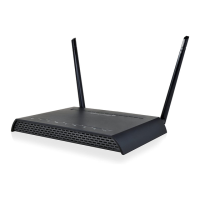
RTA15
High Power 700mW Dual Band AC
Wi-Fi Router
User’s Guide

Other manuals for Amped Wireless RTA15

Question and Answer IconNeed help?

Do you have a question about the Amped Wireless RTA15 and is the answer not in the manual?

Summary

Getting Started with Your RTA15 Router

Package Contents

Lists all items included in the router package for user verification.

LED Indicators Overview

Explains the function of each LED light on the router's front panel.

Back Panel Description and Ports

Details the ports, buttons, and connectors located on the back of the router.

Basic Setup Guide for Router Installation

5.0 GHz Wi-Fi Settings Configuration

Basic Settings for 5.0 GHz Network

Configures fundamental wireless parameters for the 5.0GHz network, including SSID and band.

Security Settings for 5.0 GHz Network

Sets up encryption type, authentication, and security keys for the 5.0GHz wireless network.

2.4 GHz Wi-Fi Settings Configuration

Basic Settings for 2.4 GHz Network

Configures fundamental wireless parameters for the 2.4GHz network, including SSID and band.

Security Settings for 2.4 GHz Network

Sets up encryption type, authentication, and security keys for the 2.4GHz wireless network.

Network Settings Configuration

Local Network (LAN) Settings

Configures settings for the router's local network, including IP address and DHCP server.

Internet Network (WAN) Settings

Configures the router's connection to the Internet (WAN) via DHCP or static IP settings.

Smart Features for Network Control

Block Websites using URL Filtering

Enables URL filtering to block access to specific websites based on keywords or addresses.

USB Storage Features

Firewall Settings and Security

Firewall Port Filtering

Secures the network by controlling access to specific network ports and protocols.

Firewall Port Forwarding

Redirects incoming network requests on specific ports to designated devices on the local network.

Quality of Service (QoS) Management

Management Features and System Information

Troubleshooting and Support Information

Web Menu Access Issues

Solves common problems encountered when accessing or using the router's web configuration interface.

Internet Connection Issues

Addresses problems preventing the router from establishing or maintaining an internet connection.

Summary

Getting Started with Your RTA15 Router

Package Contents

Lists all items included in the router package for user verification.

LED Indicators Overview

Explains the function of each LED light on the router's front panel.

Back Panel Description and Ports

Details the ports, buttons, and connectors located on the back of the router.

Basic Setup Guide for Router Installation

5.0 GHz Wi-Fi Settings Configuration

Basic Settings for 5.0 GHz Network

Configures fundamental wireless parameters for the 5.0GHz network, including SSID and band.

Security Settings for 5.0 GHz Network

Sets up encryption type, authentication, and security keys for the 5.0GHz wireless network.

2.4 GHz Wi-Fi Settings Configuration

Basic Settings for 2.4 GHz Network

Configures fundamental wireless parameters for the 2.4GHz network, including SSID and band.

Security Settings for 2.4 GHz Network

Sets up encryption type, authentication, and security keys for the 2.4GHz wireless network.

Network Settings Configuration

Local Network (LAN) Settings

Configures settings for the router's local network, including IP address and DHCP server.

Internet Network (WAN) Settings

Configures the router's connection to the Internet (WAN) via DHCP or static IP settings.

Smart Features for Network Control

Block Websites using URL Filtering

Enables URL filtering to block access to specific websites based on keywords or addresses.

USB Storage Features

Firewall Settings and Security

Firewall Port Filtering

Secures the network by controlling access to specific network ports and protocols.

Firewall Port Forwarding

Redirects incoming network requests on specific ports to designated devices on the local network.

Quality of Service (QoS) Management

Management Features and System Information

Troubleshooting and Support Information

Web Menu Access Issues

Solves common problems encountered when accessing or using the router's web configuration interface.

Internet Connection Issues

Addresses problems preventing the router from establishing or maintaining an internet connection.

Amped Wireless RTA15 Specifications

General IconGeneral
Wi-Fi Range700mw
Wi-Fi Speed1200 megabits per second
Wi-Fi Mesh Systemno
Band Technologydual
Frequency Band2.4 ghz, 5.0 ghz
QoS Traffic Prioritizationyes
Ethernet Standard10/100/1000
Number Of Connections8
Wireless Standardac, n
Gigabit Ethernet Speedyes
Antennas3
Parental Controlyes
Firewallnat, spi
Data Encryptionyes
Encryption Typewep, wpa, wpa2
Security Featuresyes
Portsrj-45, usb
LAN Ports4
WAN Ports1
Built In Modemno
Bluetoothno
Smart Applicationsamped wireless
System Requirementsbroadband (cable/dsl) modem with ethernet port; computer with wired (rj-45) or wireless (802.11a/b/g/n/ac) adapter
Weight and Dimensions IconWeight and Dimensions
Height6.25 inches
Width8.8 inches
Net Weight2.2 pounds

Related product manuals