Need help?
Do you have a question about the AMS RMX 16 and is the answer not in the manual?
Explains reverberation as an acoustic phenomenon that accompanies sounds and provides spatial information.
Describes how sound waves and early reflections contribute to perceived spatial information and room characteristics.
Explains that sound is perceived in 3D space and even mono sources create a stereo image via different reflection patterns.
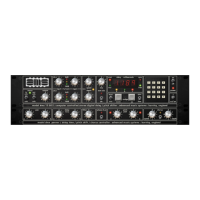
Introduces the user to the front panel controls of the RMX 16 system.
Details front panel LEDs and controls for setting input/output levels for optimal signal-to-noise.
Explains how pressing a parameter key assigns control to the rotary knob above it.
Describes selecting programs using the keypad or nudge keys.
Explains how to set the pre-delay parameter to adjust the onset of reverberation.
Details methods for adjusting decay time using keypad, nudge keys, or pot control.
Explains decay filter controls depend on the selected program.
Explains the Dry/Wet control for balancing the reverb processor and source signal.
Guides users on selecting the most suitable basic program by listening to presets with their material.
Details how decay filter controls affect reverberation time based on frequency character.
Explains how pre-delay offsets the output relative to the input and its use in mixing.
Explains that decay time increases reverberant period length and can be varied with 'pot' control.
Describes using the keyboard to modify displayed parameters by typing a new value.
Lists technical specifications like distortion, dynamic range, frequency response, and S/N ratio.
Details how nudge keys function for program selection, pre-delay, decay time, and filter settings.
Describes keypad entry methods for program selection, pre-delay, decay time, and filter settings.
Describes the composition of the unit's digital display characters.
Lists all available programs with their titles and associated numbers for quick reference.
Lists additional programs available in the expanded plugin version of the RMX16.
A versatile general-purpose program suitable for increasing reverberation time or producing unobtrusive reverb.
Designed to replicate a 'live' room with attendant colourations, suitable for all material.
Features strong initial reflections defining hall size, useful for vocals or 'topping up' material.
Offers high diffusion similar to plate reverberators, smoothing percussive sounds with medium coloration.
Similar to Hall C1 but with lower energy initial reflections, pre-delay up to 200ms selectable.
A five-voice program for filling out vocals and instruments, with panned voices and randomized delays.
Provides two independent, programmable outputs for delay effects, with adjustable decay and feedback.
An unusual program for special effects or loudness enhancement with rapid decay after an initial period.
A special effects program with dispersed reflections on the left and discrete reflections on the right output.
Special effects program with two outputs of different character, one diffused, one with discrete reflections.
Allows selection of infinite decay, accepting and freezing incoming audio or muting input.
The original version of ROOM A1, modified to restrain the upper end of the response.
Features constant diffusion density, suitable for short decay times or drama dubbing with HF damping.
Similar to ROOMAO, used on vocals, replaced for smoother decay but retained for user preference.
High diffusion program similar to plate reverberators, with medium coloration and even decay.
Provides high-quality delays up to 810ms, with decay time acting as feedback control.
An IMAGE program where reverberation pans between stereo outputs, creating startling spatial effects.
Special effects program where sound doesn't decay initially, then rapidly dies away, usable for loudness enhancement.
Explains how high and low frequency profiles modify the final reverberant phase and early reflections.
Provides a table of settings for high frequency decay control and their corresponding half decay time frequencies.
Explains how the low frequency filter affects decay time at 350Hz, varying from quarter to four times the indicated time.
 General
| Brand | AMS |
|---|---|
| Model | RMX 16 |
| Category | Recording Equipment |
| Language | English |


 To Next Page