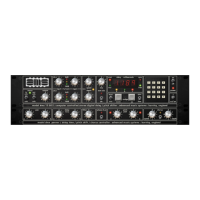
The LED on this key will now illuminate. Again, actual pre-delay setting can be
accomplished in three distinct ways:
Keypad Entry
Using the keypad, enter the amount of pre-delay required followed by the the enter
key (#). The amount (ms) of pre-delay will be displayed above the 'pre-delay' key
and as information is entered from the keypad the LED on the 'pre-delay' key will
flash. If the requested pre-delay time is within certain limits, the output will be
delayed with respect to the input by this amount and the LED will stop flashing. If
the requested pre-delay time is greater than that which is available using the
program selected, the error message (E) will be displayed above the 'pre-delay'
key. No change in the program will result so the 'pre-delay' LED will continue
flashing. To clear this error the 'pre-delay' key should be pressed again.
Using The Nudge Keys
If the Nudge Keys are used, the pre-delay amount will be increased or decreased;
the step size being program dependent. It is important to remember that the
maximum available pre-delay time depends on the basic reverberation program in
use. The maximum pre-delay time for each reverberation program is given in the
program notes at the back of this manual (see APPENDIX B).
Pot Control Entry
You can also vary the pre-delay using the pot control. Once the pre-delay function
has been selected, control of the pre-delay is immediately available to the rotary
pot directly above the pot key.
Decay Time Entry
To vary the decay time first push the 'decay time' key. The LED on that key will
now illuminate. There are three ways of adjusting decay time:
Keypad Entry
Decay time may be selected using the keypad. Both the minimum and the
maximum decay times are dependent upon the program selected. Fractions of a
second are entered by using the '*' key as a decimal point. Hence 2.8 Seconds
would be entered by first pressing the 'decay time' key followed by the '2' key, the
'*' key, the '8' key and finally the enter key (#).
Using The Nudge Keys
Once the 'decay time' key has been pressed, an increase or decrease in the decay
time can be accomplished by the use of the nudge keys. Depressing the nudge up
key will result in the illumination of the nudge up LED and an increase in the decay
time. Depressing the nudge down key will result in illumination of the nudge down
LED and a corresponding decrease in the decay time. The decay time will increase
or decrease in 0.1 second steps.
Pot Control Entry
You can also vary the decay time using the pot control. Once the decay time
function has been selected, control of the decay time is immediately available to
the rotary pot directly above the pot key.
Decay Filter Controls
The availability and use of these controls is dependent upon the basic reverberation
program in use (See Appendix B).
RMX-16 Digital Reverberation System - 10 - Issue 1



 To Next Page