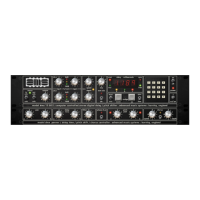
For example PROGRAM 1 allows use of both the high and low filter controls while
PROGRAM 3 allows for use of the high filter control only.
A positive filter setting will produce an increase in reverberation time in the
selected frequency band while a negative value will give a decrease. A low
frequency filter setting of, say +9, will give a large increase in reverberation time
in the low frequency band.
To select negative values the '*' key must be pressed prior to entering the
numeral. If the '*' key is not pressed a positive value is assumed.
The decay filter controls may be changed by using the nudge buttons.
Dry/Wet
These two buttons control the balance between the reverb processor and the
source signal when Wet Solo mode is inactive.
The Dry/Wet mix is indicated in the Numerical Display as a percentage. A value of
50 produces an equal blend of the wet and dry signals. Values greater than 50
emphasize the wet signal, and values less than 50 emphasize the dry signal.
Keypad Entry
Dry/Wet mix may be selected using the keypad. Hence 50.5% would be entered by
first pressing the 'Dry/Wet' key followed by the '5' key, the '0' key, the '*' key then
the '5' key and finally the enter key (#).
Using The Nudge Keys
Clicking the nudge down button once will decrement the value by one percent;
clicking nudge up once will increment the value by one percent. To increase the
fine resolution when adjusting these controls, hold SHIFT (on the computer
keyboard) when clicking the controls. Shift+click will decrement (nudge down) and
increment (nudge up) by a value of 0.1 percent instead of one percent.
Pot Control Entry
You can also vary the Dry/Wet mix using the pot control. Once the Dry/Wet
function has been selected, control of the Dry/Wet is immediately available to the
rotary pot directly above the pot key.
The Dry/Wet controls are typically used when RMX 16 is inserted on individual
channels. When RMX 16 is used on a group/bus in a typical reverb send/return
configuration, set to 100% WET or activate Wet Solo mode.
Using the RMX 16
Once the RMX 16 has been correctly 'level matched' decide which basic program is
needed for the effect you require. Reading through the program list in APPENDIX B
will help if you are already familiar with basic reverberation sounds. If you are not
it is advisable to listen to all of the basic pre-set programs using the material you
wish to record as the source.
You will then be able to select the basic program nearest to the effect you require.
Do not use source material with a fundamentally different frequency character than
the material you will eventually record, this will give you a false impression of the
final sound. Almost all reverberation types, especially when using large amounts of
frequency contouring, are dependent upon the frequency character of the source
material.
Press the 'program' key and nudge up or down through the programs to the one
required. The program number appears on the left of the display, the program
RMX-16 Digital Reverberation System - 11 - Issue 1



 To Next Page