11
The SM microscope has two options available--the 0.5x and the 2.0x. The 0.5x will cut magnification in
half down
to a minimum of 3.5x (and double working distance to approximately 8 inches or
203mm), while the 2.0x will
double your magnification (but half the working distance, down to 3/32
of an inch or 2.4mm).
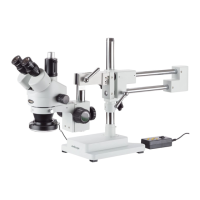
Using the Trinocular Port
The AmScope -T model is uniquely designed so that you can view the image through the eyepieces
and the
trinocular port without removing the camera or using your eyepiece.
This feature allows the images through the microscope’s eyepieces, and those displayed on your
computer screen or television be viewed at the same time (although unless using 20x eyepieces to
match your camera, the image
may differ in magnification). You do not need an adapter to attach
your AmScope camera to the trinocular port, however you may need one if you have a non-AmScope
camera. Our photo port is a 23mm size.
If using a simul-focal microscope head (one with a focusing adjustment on the third port), then you
can use the
middle portion to focus the camera. This allows the camera to be in focus even if the
magnifications between the
eyepieces and the camera are different. The SM-1T models do not come
standard with a simul-focal feature.
You can alternate the binocular observation and video capture by pushing or pulling the pole.
-
Push the pole in completely:
o
Binocular observation
-
Pull the pole out completely:
o
Open the shutter on the trinocular port to get video
capture.
Attaching a Camera
1.
If your microscope has a C-mount, you can simply screw the
camera onto the trinocular port.
2.
If your camera has a 23mm mounting size, remove the C-mount cap (if present) from the top of the
trinocular
port by loosening the screw. Then, drop the camera with reduction lens directly into the
trinocular port. It should slide in without issue.
3.
To focus through the trinocular port (simul-focal models only), simply turn middle portion of the
tube. Other-
wise, you will need to focus it individually using the microscope’s focusing mechanisms.











 To Next Page