
EasyManua.ls Logo

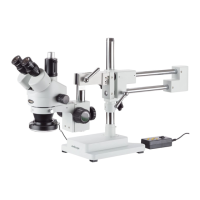
AmScope SM-4 Series - User Manual

AmScope SM-4 Series
37 pages
Print Icon
To Next Page IconTo Next Page
Loading...
OPERATOR’S MANUAL
(Please Read This Manual Before Using the Microscope)
SM-4 Series
Stereo Microscope

Questions and Answers

  • E
    egutierrezAug 17, 2025
    Why my AmScope SM-4 Microscope does not light up?
    • J
      john41Aug 17, 2025
      If your AmScope Microscope isn't lighting up, there could be several reasons. First, ensure the power cable is correctly plugged in. Second, check if the bulb is properly inserted. Finally, the bulb may have burned out and needs replacement.
  • G
    Glenn MeyersAug 20, 2025
    What to do if the field of view is not bright enough on AmScope Microscope?
    • M
      Michael RayAug 20, 2025
      If the field of view on your AmScope Microscope is not bright enough, the light source may be too dim. Try adjusting the setting to a higher intensity or changing the light source.
  • J
    James HenryAug 22, 2025
    Why does the bulb burn out frequently on my AmScope SM-4?
    • L
      leblanckevinAug 23, 2025
      If the bulb in your AmScope Microscope burns out frequently, it could be due to a couple of reasons. The voltage might be too high, so ensure you are using the correct power supply. Alternatively, you might be using the wrong type of bulb, so replace it with the correct one.
  • V
    Vickie RaymondAug 26, 2025
    What to do if there are stains on the specimen in AmScope Microscope?
    • R
      Regina QuinnAug 26, 2025
      If you observe stains, dust, or dirt on the specimen in the field of view of your AmScope Microscope, clean the slide or use a new specimen.
  • J
    Julia ParkerAug 28, 2025
    How to remove stains from AmScope SM-4 Microscope?
    • M
      Michael AllenAug 28, 2025
      If stains, dust, or dirt have accumulated on the condenser, objective, eyepieces, or base lens of your AmScope Microscope, thoroughly clean all lenses with lens cleaner or a lint-free nonabrasive cloth.
  • J
    jacksonalexanderAug 31, 2025
    What to do if the image moves while focusing on AmScope SM-4?
    • R
      Ryan MorenoAug 31, 2025
      If one side of the field of view is dark or the image moves while focusing your AmScope Microscope, the specimen might not be fixed. Secure the slide to the stage with clips or another method to prevent sample movement.
  • K
    Kelly ValdezSep 2, 2025
    How to clean dust from the lens of AmScope SM-4?
    • J
      Joshua KelleySep 2, 2025
      If stain or dust has accumulated on the lens in the inlet of the head of your AmScope Microscope, clean the lens with lens cleaner or a nonabrasive lint-free cloth, and spray with compressed air.
  • O
    otranSep 5, 2025
    Why is the bulb flickering in my AmScope Microscope?
    • T
      Tyler MccarthySep 5, 2025
      If the bulb in your AmScope Microscope is flickering, it's likely that the bulb is close to burning out. Replace the bulb to resolve this issue.
  • T
    thomasalanSep 8, 2025
    What to do if the focus knob does not turn on AmScope SM-4?
    • G
      Gregory SmithSep 8, 2025
      If the focus knob on your AmScope Microscope does not turn, the tension knob may be too tight. Loosen it by adjusting the tension by grabbing both knobs on the focusing rack and twisting them in opposite directions.
  • C
    Collin GordonSep 12, 2025
    Why does the stage decline by itself on AmScope SM-4 Microscope?
    • T
      Theresa TorresSep 12, 2025
      If the stage declines by itself on your AmScope Microscope, the tension knob is likely too loose. Tighten it by adjusting the tension by grabbing both knobs on the focusing rack and twisting them in opposite directions.

Summary

Before Use

Introduction

Overview of the AmScope SM-4 series microscope and manual.

Precautions

Important safety guidelines and handling instructions for the microscope.

1. Microscope Parts

2. Operation

2-1 Unpack

Instructions for safely unpacking the microscope and checking components.

2-2 Assemble

Step-by-step guide for assembling the microscope stand and body.

2.3 Setting up the Specimen

Instructions on how to place and position a specimen for viewing.

2.4 Focusing

Detailed guide on coarse and fine focusing adjustments for clear image observation.

2.5 Attaching a Camera

Procedures for connecting cameras to both binocular and trinocular microscope heads.

2.6 Adjusting Focus Tension

How to adjust the focus knobs for smooth and stable operation.

2.7 Maintenance

Guidelines for cleaning, care, and general upkeep of the microscope.

3. Specifications

3.1 General Model Specifications

Key specifications including head type, eyepieces, objective, zoom, field of view, and stand.

4. Parameters

4.1 Electrical System

Information on power requirements for lighting systems.

4.2 Eyetube Parameters

Details on diopter and interpupillary adjustments for eyetubes.

4.3 Objective Lens Parameters

Specifications for the continuous zoom magnification power.

5. Recommended Accessories

5.1 Eyepieces

Various eyepiece options available for the microscope, with SKUs.

5.2 Barlow Lenses

Different Barlow lens options (0.5X, 2.0X) for modifying magnification and working distance.

5.3 Cameras and Accessories

Digital cameras, calibration micrometer, and CCD television options for image capture.

5.4 Stands

Various microscope stand types including single arm, double arm, and specialized stands.

5.5 Ring Lights and Illuminators

Different types of lighting accessories like LED and fiber optic illuminators.

5.6 Darkfield Condensers

Specialized condensers for darkfield microscopy, including models with iris.

6. Troubleshooting

6.1 Optical Issues

Addresses problems like obstructions, unclear images, and dim fields of view.

6.2 Mechanical Issues

Troubleshooting steps for mechanical problems like stiff focus knobs or stage movement.

6.3 Electrical Issues

Solutions for electrical problems such as flickering bulbs or the microscope not lighting up.

7. General Microscopy Guide

Compound and Stereo Microscopes

Compares compound and stereo microscopes and their suitability for different specimens.

AmScope SM-4 Series Specifications

General IconGeneral
BrandAmScope
ModelSM-4 Series
CategoryMicroscope
LanguageEnglish

Related product manuals









