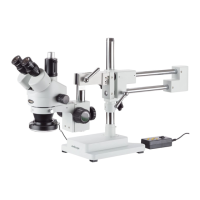
SM-4 Series Stereo Microscope
AmScope Proprietary Page 27 of 37
6.2 Mechanical Issues
The tension knob is too tight.
Loosen it by adjusting the tension by
grabbing both knobs on the focusing
rack and twisting them in opposite
directions.
The tension knob is too loose.
Tighten it by adjusting the tension by
grabbing both knobs on the focusing
rack and twisting them in opposite
directions.
The focusing knob
won’t raise/lower the
head
The focusing rack has reached
the maximum travel distance in
either direction.
Move the focusing rack higher or lower
on the pillar, if using a stand with a pillar.
6.3 Electrical Issues
The bulb is close to burning
out.
The microscope does
not light up.
The microscope is unplugged.
Check the power cable„s plug.
The bulb is not inserted
correctly.
The bulb burns out
frequently.
Use correct power supply.













 To Next Page