EasyManua.ls Logo

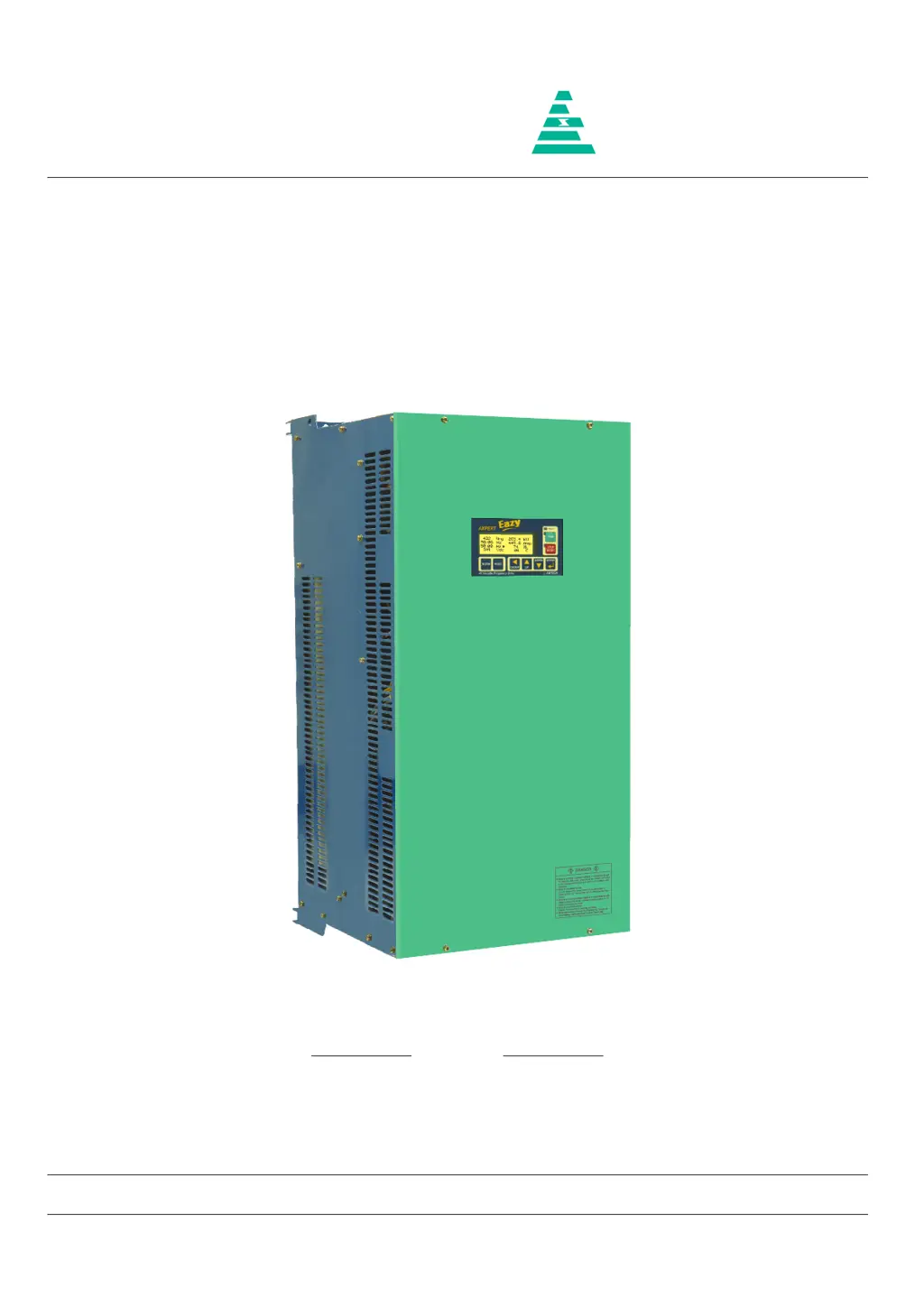
Amtech Axpert-Eazy AMT-132-4 - User Manual

Default Icon
242 pages
Print Icon
To Next Page IconTo Next Page
Loading...
NOTICE
1. Read this manual thoroughly before using the Axpert-Eazy, and store in a safe place for reference.
2. Make sure that this manual is delivered to the final user.
200 V System, 11 kW (15 Hp) ~ 90 kW (125 Hp)
400 V System, 22 kW (30 Hp) ~ 1550 kW (2075 Hp)
500 V System, 30 kW (40 Hp) ~ 1550 kW (2075 Hp)
600 V System, 30 kW (40 Hp) ~ 1800 kW (2415 Hp)
Instruction Manual
Axpert-Eazy Series
AMTECH
IMAE-01, Rev. 1.20
JUL 2017
AMTECH

Table of Contents

Questions and Answers

  • B
    baileyjordanSep 3, 2025
    What causes Under Voltage Fault in Amtech Axpert-Eazy AMT-132-4 DC Drives?
    • C
      Charles DennisSep 4, 2025
      An Under Voltage Fault in Amtech DC Drives can be caused by the DC Bus voltage falling below the under voltage level. Check the input power supply and correct it if necessary. Also check soft charge contactor or connection.
  • M
    Michael DrakeSep 1, 2025
    What to do if Amtech Axpert-Eazy AMT-132-4 have Thermistor Over Temperature Fault?
    • T
      tmoranSep 2, 2025
      If your Amtech DC Drive is showing a Thermistor Over Temperature Fault, it could be due to several reasons. A trouble may have occurred in the cooling blower, so replace it if necessary. The ambient temperature may have risen, so lower the ambient temperature (less than 50 °C for 400 V series or less than 40 °C for 500 V / 600 V series). The temperature switch (thermostat) or thermistor may not be connected or loosely connected at J16 and J13 respectively, so disconnect thermostat switch connection at J16 and ensure that the thermostat shows short circuit. Disconnect the thermistor and ensure that the thermistor shows resistance greater than 2.2 kΩ but less than 60 kΩ. Reconnect thermostat and thermistor properly.
  • M
    Mark CarpenterAug 31, 2025
    How to fix U Phase Current Sensor Fail Fault on Amtech Axpert-Eazy AMT-132-4 DC Drives?
    • T
      thompsonnatalieAug 31, 2025
      To address a U Phase Current Sensor Fail Fault on Amtech DC Drives, first, check for a loose connection of the hall current sensor cable connected at J12 of PCA-2014A. Switch off the unit, remove the cable, and inspect both sides for proper crimping. If you find any issues, replace the cable and check again. Second, one or more current sensors may have failed. Remove connector J12 and reset the fault. If the fault can be reset, identify the failed current sensor. If, after removing connector J12, the problem persists, replace PCA-2014A.
  • M
    Mark GarzaAug 29, 2025
    What causes an Adjustable Over Current Fault in Amtech Axpert-Eazy AMT-132-4?
    • R
      Rebecca SalinasAug 29, 2025
      An Adjustable Over Current Fault in Amtech DC Drives can be triggered by a few factors. The motor current data might be set incorrectly, so set correct motor current data in B103. Alternatively, the adjustable over current settings may be too low, so increase the adjustable over current level (B302). Finally, the output current might be too high, so reduce the motor load.
  • E
    Eric Young PhDAug 27, 2025
    What to do if Amtech Axpert-Eazy AMT-132-4 DC Drives display a Communication Loss?
    • J
      Joseph WilliamsAug 27, 2025
      If an Amtech DC Drive displays a Communication Loss, it could be due to several reasons. There may be a problem in display board PCA-2012, so replace the display board PCA-2012 and check again. Also, there may be a problem in control board PCA-2014A. If +5 V supply or +3.3 V supply is not coming then also this fault will come. Check the power supply unit and if problem is found replace it, or replace the DSP control board PCA-2014A and check again. You can also disable the fault using C405. This will allow the inverter to run in case of communication loss between the PCA-2014A DSP control board and PCA-2012 LCD display board.
  • N
    nicole37Aug 26, 2025
    Why does my Amtech DC Drive show a Drive Over Load Fault?
    • L
      Lori HopkinsAug 26, 2025
      An Amtech DC Drive may show a Drive Over Load Fault because the AC drive is overloaded. Ensure that motor current data are properly set in B103. Reduce the load or increase the motor and AC DRIVE capacity. If this occurs at low speed, reduce the torque boost settings (A501 / A502) or DC braking settings (A307 / A308).
  • B
    Brandon GrayAug 25, 2025
    What to do if my Amtech DC Drives show a Ground Fault?
    • A
      Ashley JacksonAug 25, 2025
      If your Amtech DC Drive indicates a Ground Fault, it may be due to a short in the output line or motor. Check that no output is shorted to ground; partially damaged output cables can also cause this. Another possibility is a problem with one or more current sensors. Remove the current sensor feedback and check. If the fault persists, replace PCA-2014A, otherwise replace the problematic current sensor.

Summary

Instruction Manual

Preface

Precautions For Safety

Essential safety guidelines to prevent injury and equipment damage.

Chapter 2: Installation and Wiring

2-2 Power Supply and Motor Wiring Precautions

Critical safety warnings and instructions for connecting power supply and motor wiring.

2-3 Power Terminal Layout

Diagrams illustrating the location and connection of power terminals for various series.

2-4 Control Signals Wiring Precautions

Guidelines for wiring control circuits, including wire type, torque, and shielding.

Chapter 3: Digital Operation Panel (LCD Keypad Module)

3-2 Modes and Parameters Overview

Describes the parameter grouping into Modes and Groups based on their functions.

3-3 Parameter Display and Setting

Details how to navigate, display, and change parameter values using the operation panel keys.

Chapter 4: Test Operation and Adjustment

4-1 Preparation Before Turning Power ON

Essential checks and preparations required before applying power to the AC Drive.

4-1-1 Selection of Control Modes

Explains the different motor control modes available and how to select them via parameter A401.

4-1-2 Selection of Start Control

Describes how to select the control source (Local, Terminal, Serial) using parameter A301.

4-1-3 Selection of Frequency Reference Input

Details the various sources for frequency reference input and their selection via parameter A106.

4-2 Initialization of Motor Constants in Mode-B

Steps for inputting motor rating parameters in Mode-B for proper operation and tuning.

4-3 Automatic Tuning & Adjustment

Guides on performing automatic tuning to optimize motor performance and parameter adjustment.

4-4 Test Operations

Procedures for testing the AC Drive operation and motor after automatic tuning.

Manual Adjustment for Torque Accuracy (IM Vector Control)

Details manual adjustments for Group-6 and Group-7 parameters when high torque accuracy is needed.

Chapter 5: Control Input; Output Terminals

5-1 Input; Output Terminal Functions (PCA-2014 A)

Detailed description of terminal functions on the PCA-2014A control unit and their symbols.

5-2 Programmable Sequence Input (PSI) Wiring

Wiring examples and precautions for programmable sequence inputs (PSI) in Sink and Source logic.

5-3 Programmable Analog Input (PAI) Wiring

Wiring instructions and precautions for programmable analog inputs (FSV, VIN, FSI, IIN).

5-4 Programmable Analog Output (PAO) Wiring

Wiring diagrams and precautions for programmable analog outputs (VO1, VO2, IO1, IO2).

5-5 Programmable Sequence Output (Open Collector)

Wiring diagram and precautions for programmable sequence outputs (PSO) using open collector type.

5-6 Programmable Sequence Output (Relay) Wiring

Wiring diagrams for programmable fault and general relays (FA/FC, R1A/R1C, R2A/R2C).

Chapter 6: Parameter Settings & Functions

MODE-M: Monitor Parameters

Details on parameters used for monitoring operating data, status, and system information.

MODE-A Parameter

Parameters related to frequency setting, motor characteristics, and V/F curve configuration.

MODE-B Parameters

Parameters for motor configuration, automatic tuning, and protection settings.

MODE-C Parameters

Parameters for programmable inputs, outputs, status detection levels, and serial communication.

MODE-D: Auxiliary Drive Parameters

Parameters specific to configuring and operating an auxiliary drive.

MODE-P: In-Built PLC Command Parameters

Parameters for configuring and managing the built-in PLC functions and commands.

In-built PLC Function Explanation

Overview of the In-built PLC function's capabilities and features for PLC-related applications.

In-built PLC Function Related Parameters and Command

Lists parameters and commands associated with the In-built PLC function.

Chapter 8: Maintenance, Inspection and Part Replacement

8-1 Inspection Items

Guidelines for periodic inspections to ensure proper operation and identify abnormalities.

Chapter 10: Encoder Specifications

Chapter 11: Serial Communication Set-Up

11-1 Connection Method

Describes the network configuration for serial communication using RS485 and Modbus protocol.

11-2 Connecting the Host Computer and Axpert-Eazy (1-to-1)

Wiring examples for establishing a 1-to-1 connection between a host computer and the Axpert-Eazy drive.

11-3 Connecting the Host Computer and Axpert-Eazy (1-to-many units)

Wiring examples for connecting a host computer to multiple Axpert-Eazy units in a network.

Chapter 12: UL Instructions

Chapter 13: CE Marking

13-3 Wiring and Earthing Practices

Critical guidelines for selecting input/output cables, wiring separation, earthing, and control cable routing.

Appendix B: Fault Codes

Fault Codes and Descriptions

Comprehensive list of fault codes, their names, and detailed descriptions of causes and countermeasures.

Appendix C: Trouble Shooting Guidelines

Voltage Checks and Jumper Positions

Guidelines for checking voltage levels and jumper settings for troubleshooting.

Fault Name Causes & Countermeasures

Detailed troubleshooting steps for common faults like Over Current, Overload, and Sensor Failures.

Amtech Axpert-Eazy AMT-132-4 Specifications

General IconGeneral
BrandAmtech
ModelAxpert-Eazy AMT-132-4
CategoryDC Drives
LanguageEnglish

Related product manuals