Appendix B: Certificates
137
NX-Series Controllers - WebConsole & Programming Guide
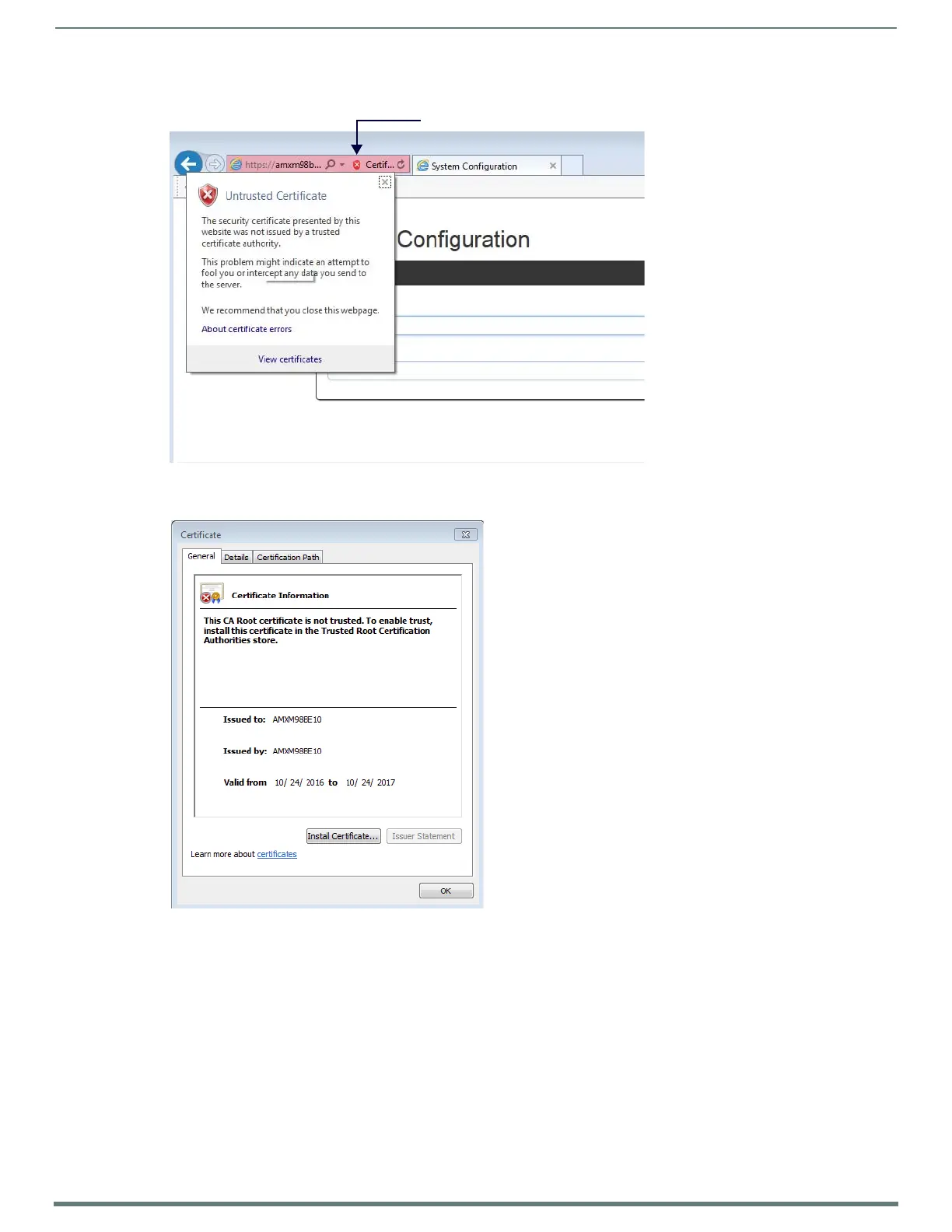
4. When the website appears, click the red X in the address bar (FIG. 62). An Untrusted Certificate pop-up message will appear.
5. Click View Certif icates in the pop-up. The certificate information for the self-signed certificate on the NX appears (FIG. 63).
FIG. 62
Untrusted Certificate pop-up message
FIG. 63 Certificate dialog
Click to access pop-up screen


 To Next Page
 Loading...