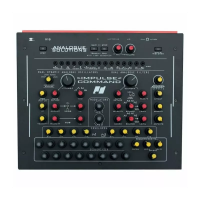
The filter has two jack sockets inputs for external modulation. The adjacent EXT
controls set the amount of modulation.
VEL - Velocity
Use this control to set how much MIDI Velocity will modulate the filter cut-off.
EG1
Use this control to set how much Envelope 1 will modulate the filter cut-off.
Centre is no modulation / off.
Left is inverted EG1 signal.
Right is positive EG1 signal.
Filtering External Sound Sources
External sound sources, such as vocals, guitars, mixer sends, samplers, etc. can be
sent through the filter for extra treatment. Note, mic's and guitars may need pre•amping
if the signal is too quiet.
Simply plug the sound source into one of the front panel mixer input sockets.
Typically set the VCA mode switch to THRU. This will leave the VCA open so a
constant signal.
Finally, play around with the filter and modulation settings as necessary. The VCO
signals can also be introduced, and use the various VCA modes and envelopes if you
wish to contour the sound level and add additional effects.


 To Next Page