Digital Sequencer
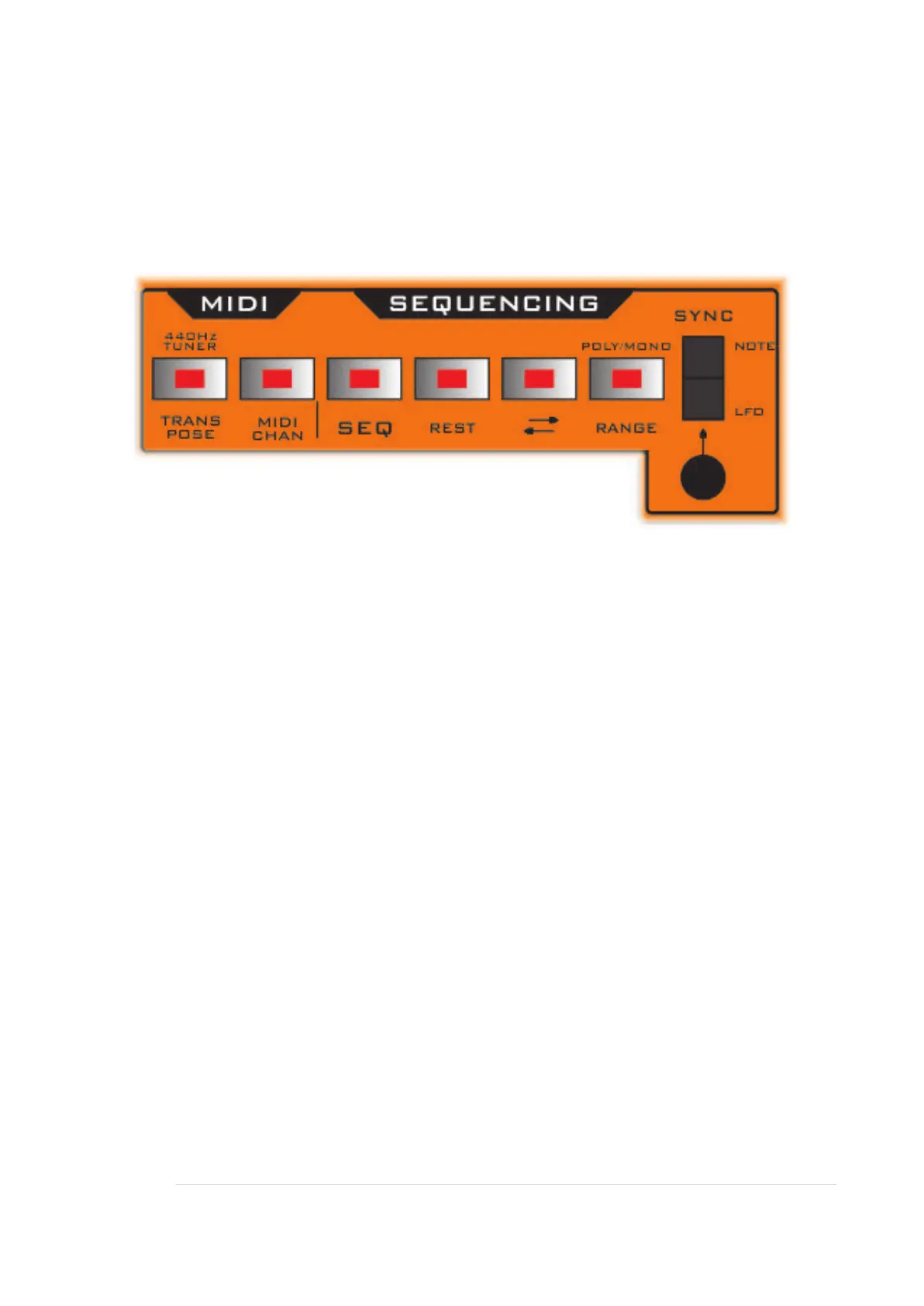
SEQ & REST
Press the SEQ button to activate the Sequencer.
The Sequencer will memorise up to 16 MIDI notes. It will play them back in the order
you played them in, continuously looping.
The sequencer continually scans the MIDI In socket for notes, and will add these in
order, up to a maximum of 16. This total includes rests. So it memorises 16 events.
So it is best to have no sync to the sequencer whilst programming in a series of
notes, otherwise they will play back as you try to enter more. So put the SYNC rocker
switch up to NOTE.
Then program in the notes and rests by pressing MIDI keys or the REST button.
Finally then apply some Sync to play back the notes and rests.
Note: The sequence is cleared if the Sequencer is disabled, or power is cycled. So
to clear a pattern just toggle the Sequencer button.


 To Next Page