40
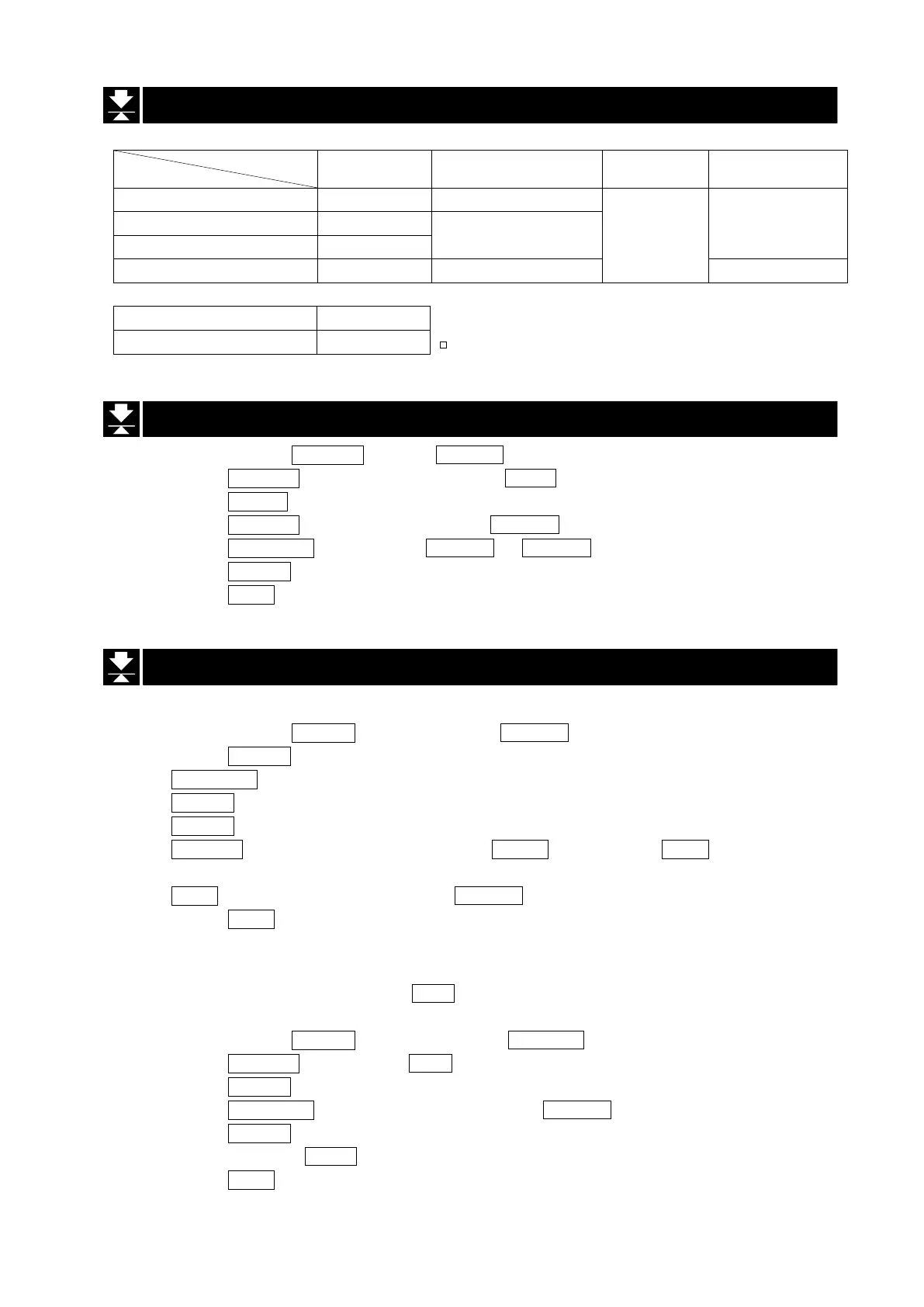
11.2. Preparation of the Function Table
Auto-print polarity
Interval time
prt 0 —
data 1
—
prt 1
ap-p 0 – 2
ap-b 0
2
prt 2
prt 3 — int 0
8
d-no 0
d-no 1
The data memory function does not work with
data 0
11.3. Enabling data memory function
Step 1 Press and hold the RANGE key until ba5fnc of the function table is displayed.
Step 2 Press the RANGE key several times to display dout .
Step 3 Press the PRINT .
Step 4 Press the RANGE key three times to display data 0 .
Step 5 Press the RE-ZERO key to change data 0 to data 1 .
Step 6 Press the PRINT key to save a new parameter.
Step 7 Press the CAL key to return to the weighing mode.
11.4. Output of Data from Memory
Displaying and Transmitting the Data
Step 1 Press and hold the PRINT key until displaying reCall and release the key.
Step 2 Press the PRINT key to enter the mode. Use the following keys.
RE-ZERO key ...... The key to proceed to the next data.
MODE key ........... The key to go back to the previous data.
PRINT key ........... The key to transmit the current data to the RS-232C interface.
RANGE key ........ While holding down the RANGE key, press the CAL key to delete the
current data..
CAL key ............... The key to exit the reCall mode.
Step 3 Press the CAL key. The balance returns to weighing mode.
Transmitting All data at One Time
Step 1 Setup the RS-232C interface using " 5if " of the function table. Refer to “9. Function Table” and
“15. Introduction”.
Step 2 Press and hold the PRINT key until displaying reCall and release the key.
Step 3 Press the RANGE key to display out .
Step 4 Press the PRINT key to enter this mode.
Step 5 Press the RE-ZERO key. Then the balance displays out go .
Step 6 Press the PRINT key to transmit all data to RS-232C interface.
Step 7 The balance displays Clear after the finish.
Step 8 Press the CAL key to return to weighing mode.


 To Next Page