8
2.3. Take Care of Your Balance
Don’t disassemble the balance. Contact your local A&D dealer if your
balance needs service or repair.
Don’t use solvents to clean the balance. For best cleaning, wipe with a dry
lint free cloth or a lint free cloth that is moistened with warm water and a
mild detergent.
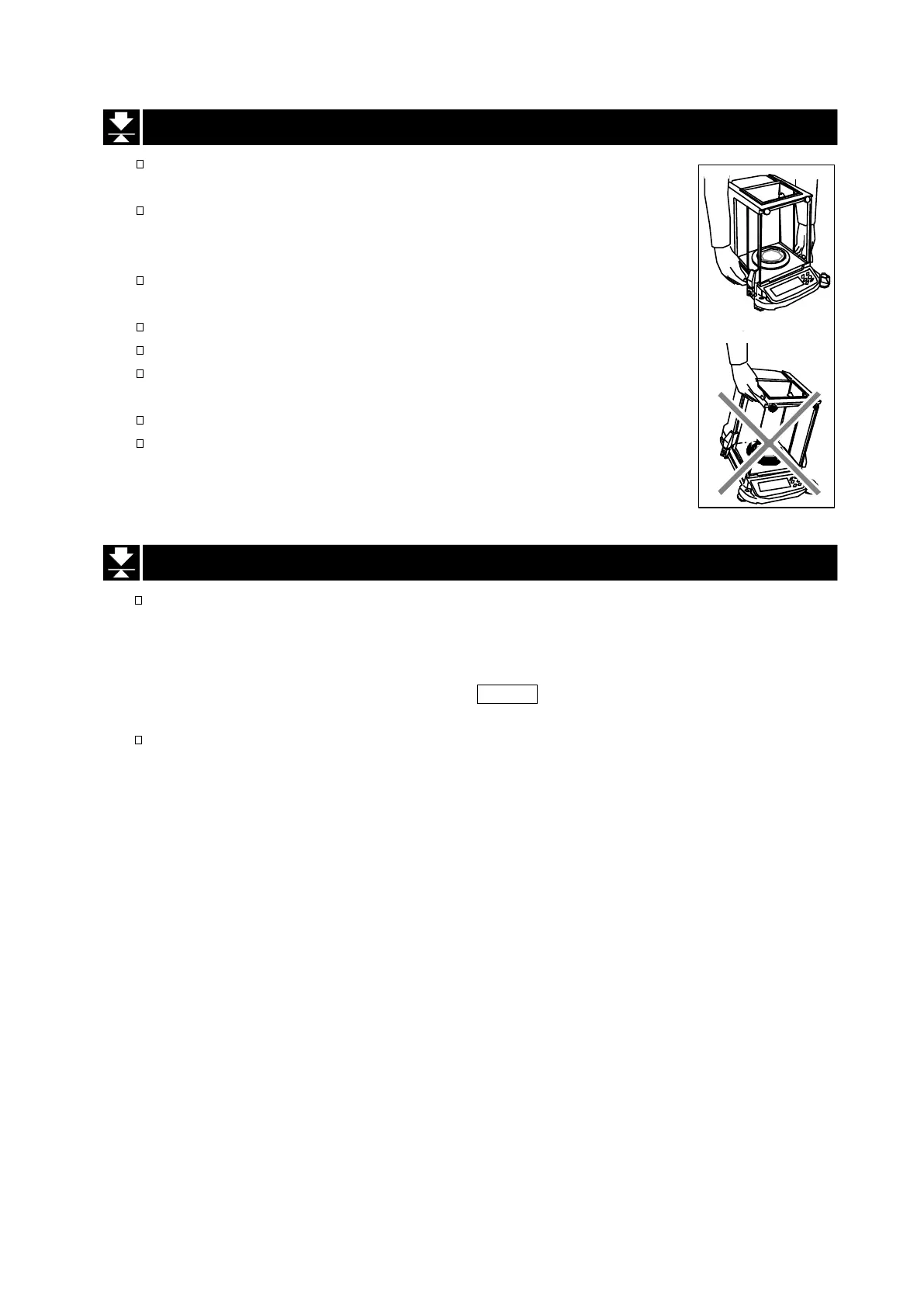
When you transport the balance, hold it as shown in the right illustration.
Never lift the balance using the weighing chamber frame.
Keep magnetic substance away from the balance.
Avoid mechanical shock to your balance.
Avoid dust and water so that the balance weighs correctly. Protect the
internal parts from liquid spills and excessive dust.
Remove and clean the floor plate of the weighing chamber.
Use the special shipping box supplied for transportation.
2.4. Power Supply
Do not remove the AC adapter while the internal mass is in motion, for example, right after the AC
adapter is connected, or during calibration using the internal mass.
If the AC adapter is removed under the conditions described above, the internal mass will be left
unsecured, that may cause mechanical damage when the balance is moved.
Before removing the AC adapter, press the ON:OFF key and confirm that zero is displayed in
weighing mode.
When the AC adapter is connected, the balance is in the standby mode if the standby indicator is
on (see "3.2. Display Symbols and Key Operation "). This is a normal state and does not harm the
balance. We recommend that you plug in your balance for at least an hour before use so it can
warm up.


 To Next Page