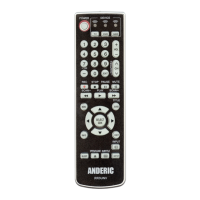
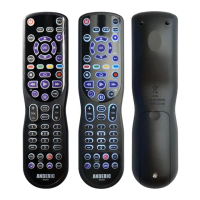
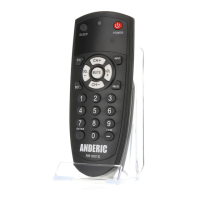
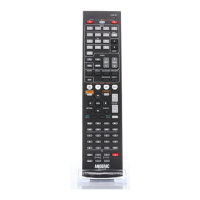
Single Press Combined POWER Key
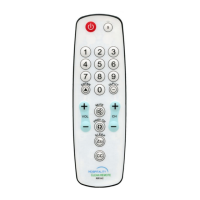
About: This allows for powering on/off both your TV and STB (Set-top-box) with one press of the [POWER]
button. If enabled, pressing [POWER] key will send code for power for both units. If disabled, pressing
[POWER] key will only send code for TV. See steps below.
1. Press and hold [S] and [ENTER] keys simultaneously for about three seconds until indicator light
lights and remains on, release both keys.
2. Device mode indicator light will light. It doesn’t matter which mode lights.
3. Input code [9] [9] [9] [5].
a. Enabled – (0 blinks): If LED turns off directly after inputting the four digits, this indicates
that “one key power-off all devices” was successfully Enabled;
b. Disabled – (2 blinks): If LED blinks 2 times after inputting the four digits, this indicates that
“one key power-off all devices” was successfully Disabled.
Note: After one key power-off all devices successfully enabled, press [POWER] key, it will send STB Power
immediately followed by TV Power code.
STB (set-top-box) Punch-Through Function
About:When enabled, this feature allows assigning the STB related keys to always send codes
programmed under STB mode, no matter what mode the remote currently resides. This feature has been
enabled by default. Keys affected are: 0 thru 9, Enter, Prev CH, CC, CH+ and CH-. Follow steps below to
enable or disable this feature.
1. Press and hold [S] and [ENTER] keys simultaneously for about three seconds until indicator light
lights and remains on, release both keys.
2. Device mode indicator light will light. It doesn’t matter which mode lights.
3. Input code [9] [9] [9] [0].
a. Enabled – (0 blinks): If LED turns off directly after inputting the four digits, this indicates
that “STB punch-through” was successfully enabled;
b. Disabled – (2 blinks): If LED blinks 2 times after inputting the four digits; this indicates that
“STB punch-through” was successfully disabled.


 To Next Page