Avoid the battery fluid to get in your eyes. If it should get in your eyes, immediately rinse with plenty of
clean water and contact a physician.
The monitor, the batteries and the cuff, must be disposed of according to local regulations at the
end of their usage.
2. CLOCK AND DATE ADJUSTMENT
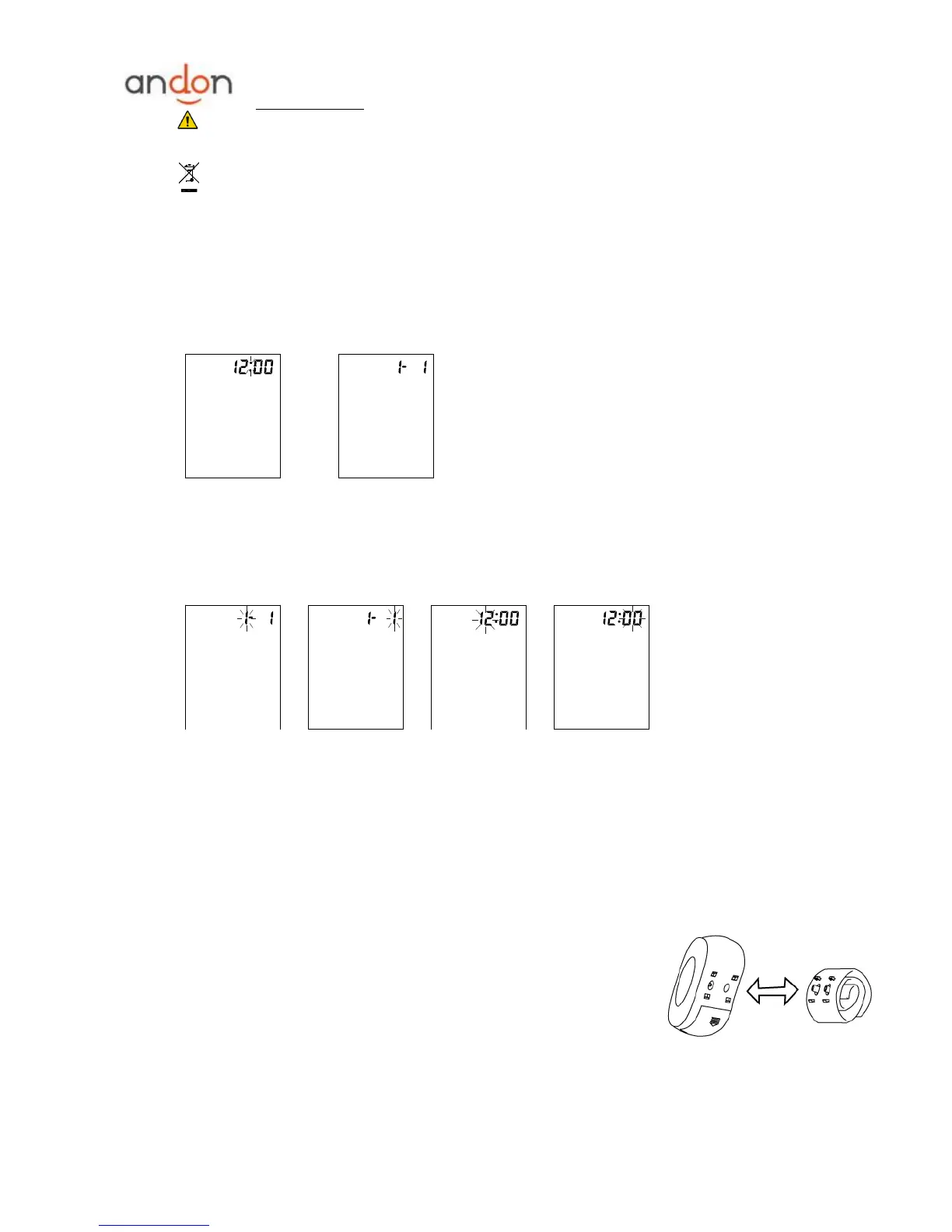
a. Once you install the battery or turn off the monitor, it will enter Clock Mode, and LCD will display time
and date by turns. See picture 2&2-1.
Picture 2 Picture 2-1
b. While the monitor is in Clock Mode, pressing both the ―START‖ and ―MEM‖ button simultaneously, the
month will blink at first. See picture 2-2. Press the button ―START‖ repeatedly, the day, hour and minute
will blink in turn. See picture 2-3 & 2-4 & 2-5. While the number is blinking, press the button ―MEM‖ to
increase the number. Keep on pressing the button "MEM", the number will increase fast.
Picture 2-2 Picture 2-3 Picture 2-4 Picture 2-5
c. You can turn off the monitor by pressing ―START‖ button when the minute is blinking, then the time and
date is confirmed.
d. The monitor will turn off automatically after 1 minute of no operation, with the time and date unchanged.
e. Once you change the batteries, you should readjust the time and date.
3. CONNECTING THE CUFF TO THE MONITOR
The cuff is attached to the monitor when it is packaged. Should the cuff
become unattached, align the two plugs and four brackets of the cuff with the
plug sockets and bracket sockets of the monitor and press the cuff to the
monitor until the plugs and brackets are securely attached.
4. APPLYING THE CUFF
a. Place the cuff around a bare wrist 1-2cm above the wrist joint on the palm side of the wrist.


 To Next Page