ComBi
line
03/04
69
6.2 Draining off hot water
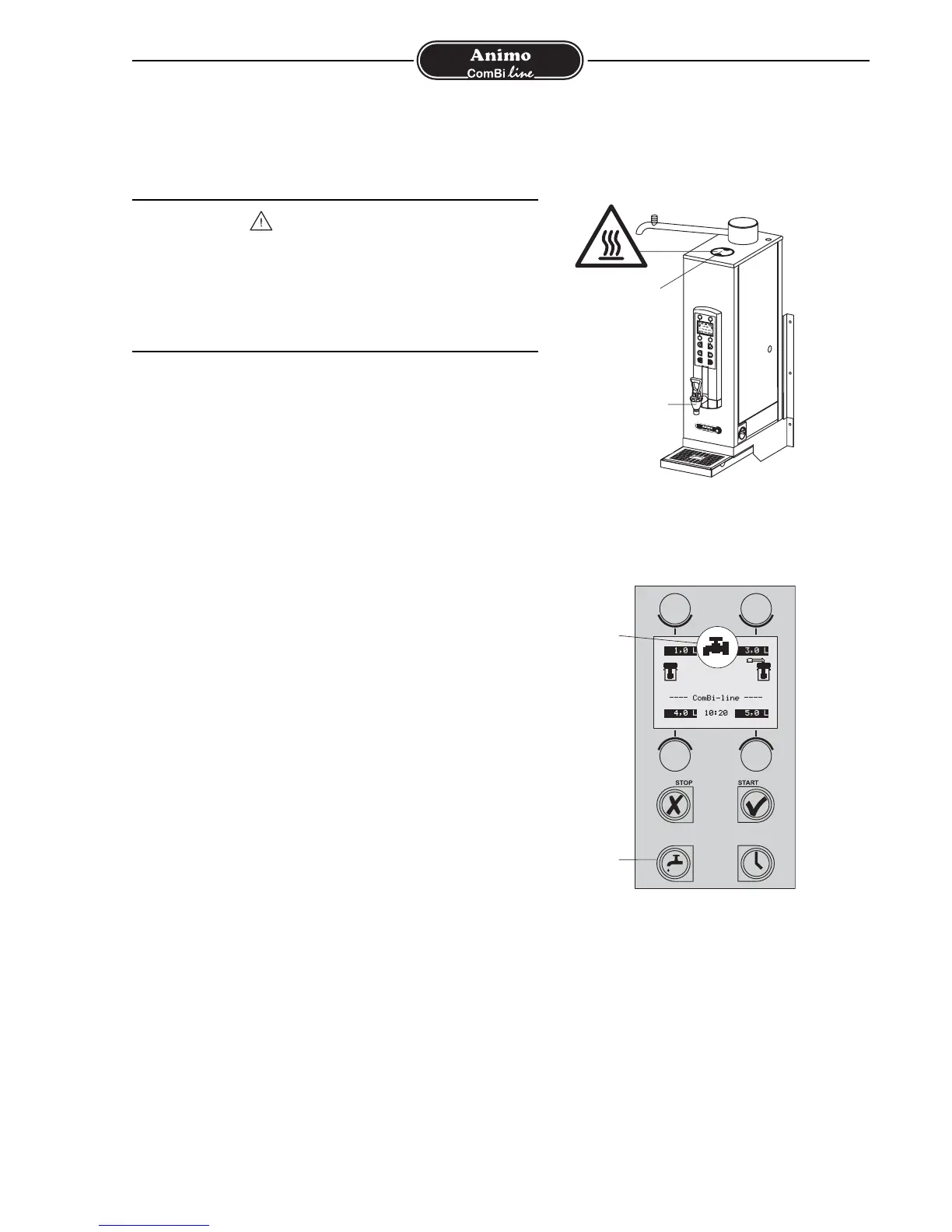
The appliance comes with a separate hot water system with a
no-drip tap (fig. 10A) through which it is possible to draw off
hot water during the coffee brewing process.
1. Press the hot water system on/off button (fig. 11B).
The hot water system fills automatically, before
heating up. A flashing tap symbol appears in the display
(fig. 11A).
2. The tap symbol stops flashing when the hot water
system is hot enough.
3. The hot water system is now ready for use.
Tip:
- The hot water temperature is set to 90°C as standard.
- The hot water system can be switched off at any
moment by pressing the on/off button again
(fig. 11B). The tap symbol disappears on the display and
the system will no longer refill or heat up.
- If a large amount of hot water is drawn off the boiler fills
and heats in charges of approx. 0.75 litres. This means
you have (some) hot water again in a short time.
Activating temperature display see 12.5.2
Changing temperature setting see 12.5.3
Tip:
Have you not used the appliance for more than 1 week?
If so, use the appliance as described in chapter 4-FIRST TIME
USE. After carrying out these actions the whole hot water
system has been refreshed. This all contributes to the
provision of good quality coffee and/or hot water.
WARNING
• The hot water system steam outlet can be found on the
top of the column (fig. 10B). Steam can escape through
this opening during normal heating and during heating
with the continuous heating function (97°C+) switched
on! Do not touch the moisture outlet. There is a risk of
burning.












 To Next Page