1817
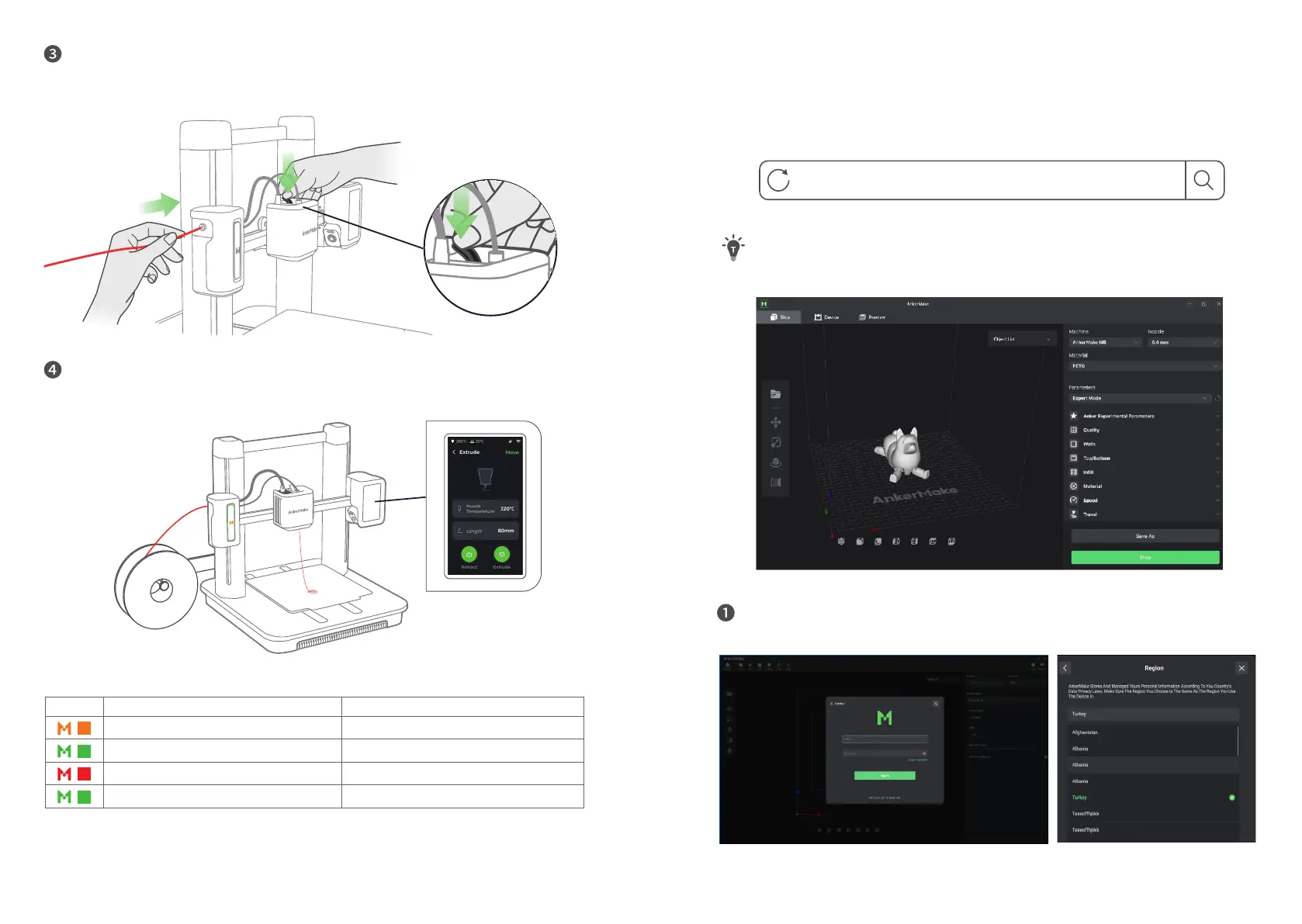
Insert the lament. Then press and hold the extruder clip while continuing to insert
the lament. Stop when you feel some resistance.
On the touch screen, tap
Control > Extrude > Load
. Wait until lament ows out of
the nozzle, then tap
Stop
.
Indicator Light* Description
Flashing Orange Slowly Heating Up
Fading Green Repeatedly Printing
Flashing Red Alert
Steady Green Normal
Installing the AnkerMake Slicer
For the best printing experience, download and install the AnkerMake Slicer to your
computer from
The AI recognition capabilities will be not available when the printer works with
other 3D slicer software, such as Cura.
When you sign up for an account, you are requested to choose your country or
region.


 To Next Page