2827
Troubleshooting
Common
Failures or
Issues
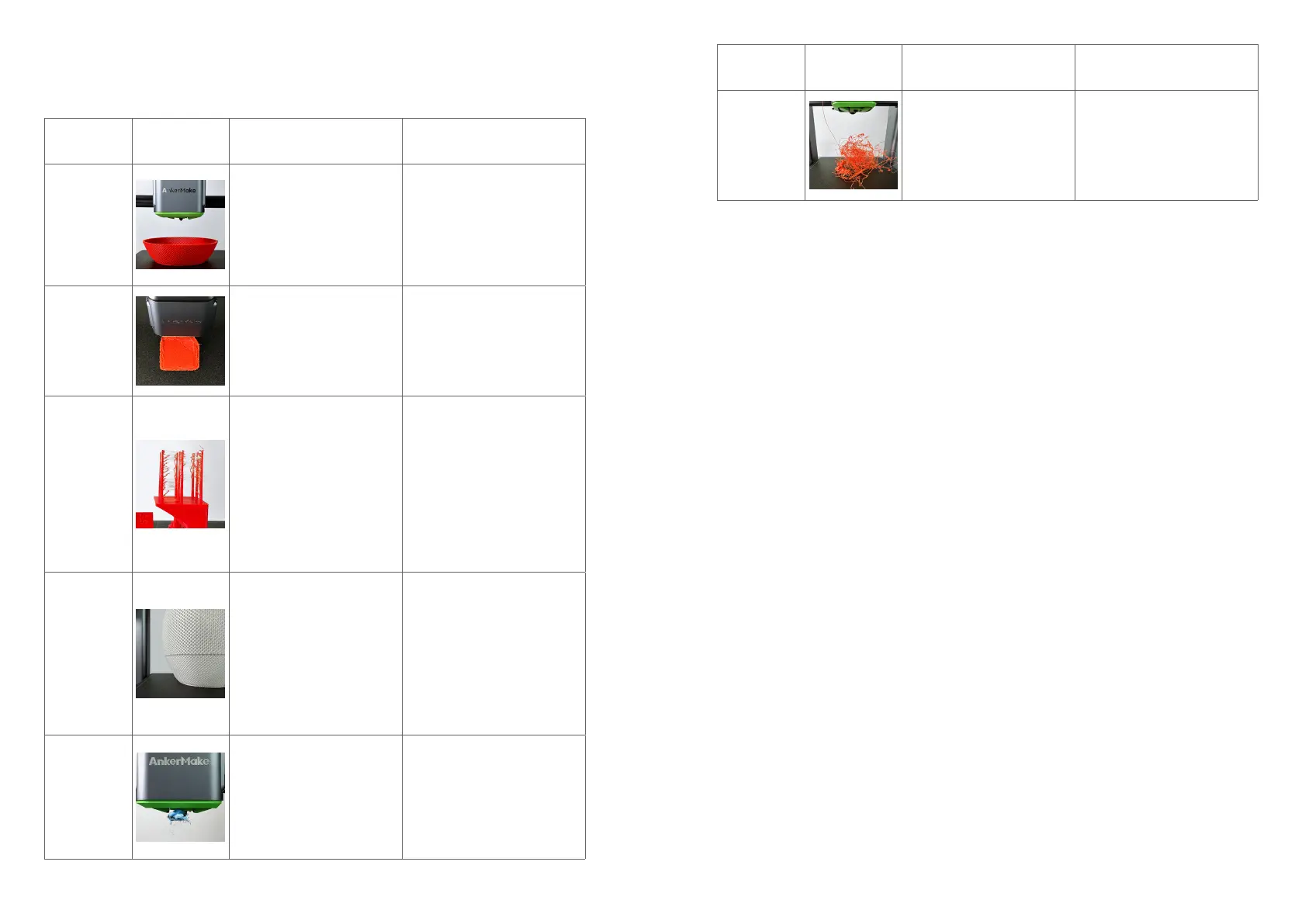
Illustration Causes Solutions
No Filament
Extruded
• Filament issue (depleted,
entangled, broken, unclean).
• Nozzle clogged.
• Gcode le issue.
https://support.ankermake.
com/s/article/How-to-Fix-the-
Extruder-Filament-Feeding-
Issue
Initial Layer
Not Sticky
• PEI plate is stained with dust
and grease.
• Abnormal auto-leveling.
• Incorrect Z offset value.
• Printing overspeed.
• Low temperature of the
nozzle and hot bed.
https://support.ankermake.
com/s/article/How-to-Fix-the-
Initial-Layer-Is-Not-Sticky-Issue
Flowing or
Falling
• The lament is wet, resulting
in poor print quality.
• The E-axis retraction
distance is short or the
retraction speed is slow.
• The printing temperature is
too high, causing the lament
to ow and fall due to gravity
during idle driving.
• The oating distance is too
long, causing the lament to
fall due to gravity.
• The nozzle is worn.
https://support.ankermake.
com/s/article/How-to-Fix-
Filament-Drawing-Sagging-
on-the-Print-Model
Layers
Dislocation
• The acceleration and jerk
speed parameters are set
beyond the optimal printing
range.
• Caused by mechanical
movement during printing
process.
• The small-angle suspended
surface structure of the print
model is not conducive to
high-speed printing, resulting
in layers dislocation.
https://support.ankermake.
com/s/article/How-to-Fix-the-
Layer-Shifting-Issue-of-the-
Print-Model
Nozzle Jams
• Unclean lament and dust
cause nozzle jams.
• Unsuccessful printing causes
nozzle jams.
https://support.ankermake.
com/s/article/How-to-Fix-the-
Burrs-and-Residues-in-Nozzles
Common
Failures or
Issues
Illustration Causes Solutions
Spaghetti
Effect
• Filament entangled.
• The initial layer of the print
model is not sticky.
• Partial warping of the print
model causes the collision of
the nozzle and movement of
the print model.
https://support.ankermake.
com/s/article/How-to-Fix-the-
Spaghettication-Issue


 To Next Page