1615
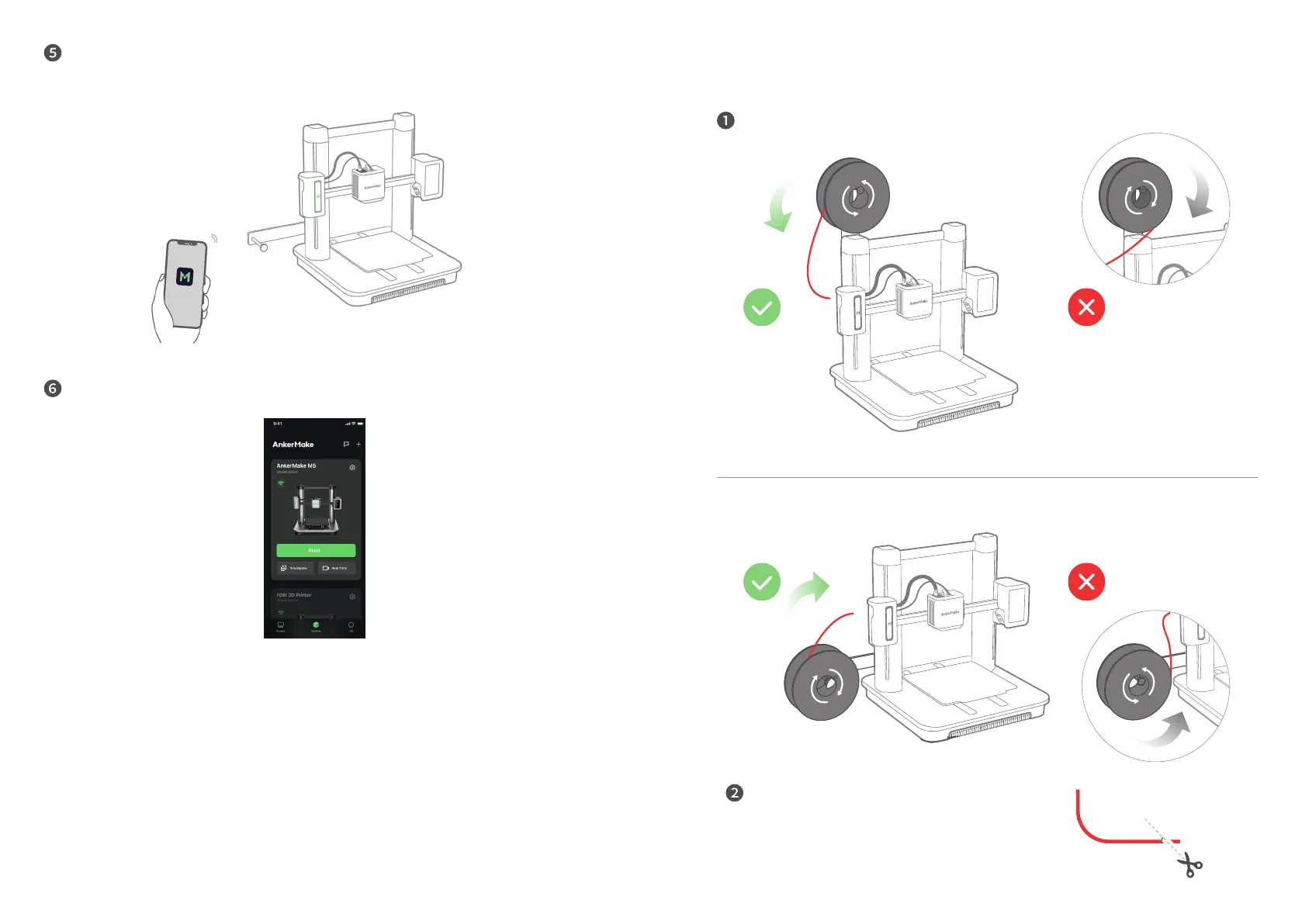
Connect your AnkerMake M5 to Wi-Fi and rename it.
• Any Wi-Fi that needs authentication is not supported like the public Wi-Fi in airports,
subways, hotels, etc. It only supports 2.4GHz network.
Now access the home page of AnkerMake M5.
Loading Filament
Place the lament onto the holder.
Straighten the lament at least 0.78 inches
/ 2 cm and cut the tip of the lament at a 45°
angle.


 To Next Page