HEATING ELEMENTS
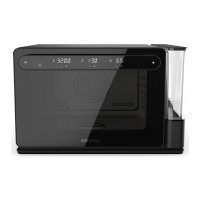
The Anova Precision® Oven has three
heating elements and a fan. Choosing your
heating elements is separate from setting
temperature targets.
1600 W, max 482°F (250°C)
The Rear Heating Element is located behind
the back wall of the oven cavity. It wraps
around the Convection Fan, which helps to
circulate heat throughout the oven.
:
• air-frying
• bread baking
• browning roasts or poultry
• Sous Vide Mode
NOTE: The convection fan will always run at high
speed while the rear element is in use.
1600 W, max 482°F (250°C)
The Top Heating Element is located inside
the oven ceiling. This element is the best
choice when you want intense, direct, heat.
:
• searing
• toasting
700 W, max 356°F (180°C)
The Bottom Heating Element is under the
floor of the oven. This element is lower
power than the others, and the best choice
when you want low, gentle, indirect heating.
:
• proofing
• fermentation
• dehydrating
NOTE: Using both Top and Bottom Elements together
is best for recipes based on traditional baking.


 To Next Page