SETTINGS
NOTE: The Oven can’t dehumidify the air beyond
the humidity in your own kitchen. If you are
cooking in a humid environment, the Oven may
not be able to reach low Relative Humidity inputs.
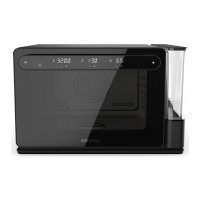
This page refers to the Display diagram on
Page 10-11.
USING STEAM
⊲ Press the + OR STEAM CONTROLS to
adjust Steam percentage.
⊲ To stop using steam, press the STEAM
CONTROL until the percentage reaches 0
and the display says “OFF”.
⊲ If the Water Tank is empty during or
before cooking with Steam, the FILL
INDICATOR will blink. Fill the Water Tank,
then press the Fill Indicator to continue
the flow of Steam.
STEAM GENERATION
You can add steam to the cooking process
by specifying a Steam Percentage (0–100%)
on the Display or in the App. This will
activate the boiler to add humidity inside
the Oven.
When cooking at 212°F (100°C) or lower, the
Steam Percentage you set is interpreted as
a Relative Humidity percentage. In this
temperature range, the Oven only activates
the boiler when necessary to maintain
humidity levels, which may be infrequent.
However, when used at temperatures above
212°F (100°C), Steam is generated constantly
throughout the cooking process. In this
mode, the Oven does not measure or react
to the amount of humidity inside.


 To Next Page