CONNECT TO WI-FI
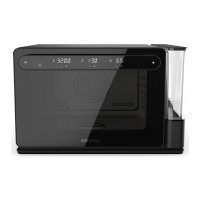
the Anova Precision® Oven
App on your smartphone or tablet.
to your preferred Wi-Fi
network.
the app and follow the on-screen
instructions to connect.
1
2
3
BENEFITS OF USING THE APP
⊲ Set your Oven remotely, and monitor
the cooking process from anywhere.
⊲ Browse and cook from a collection of
easy-to-follow recipes made exclusively
for Anova.
⊲ Make and share your own recipes, with
ingredients, steps, and photos.
⊲ Save all your favorite recipes.
Connecting your Oven to the Anova
Precision® Oven App with Wi-Fi gives you
the ultimate cooking experience.
ON THE OVEN DISPLAY
The Wi-Fi icon on the Oven Display will show
your connection status.
: searching/connecting
: connected
NOTE: Wi-Fi connection and the App are not
required to use the Oven. However, some
functions may not be available with manual use.


 To Next Page