61
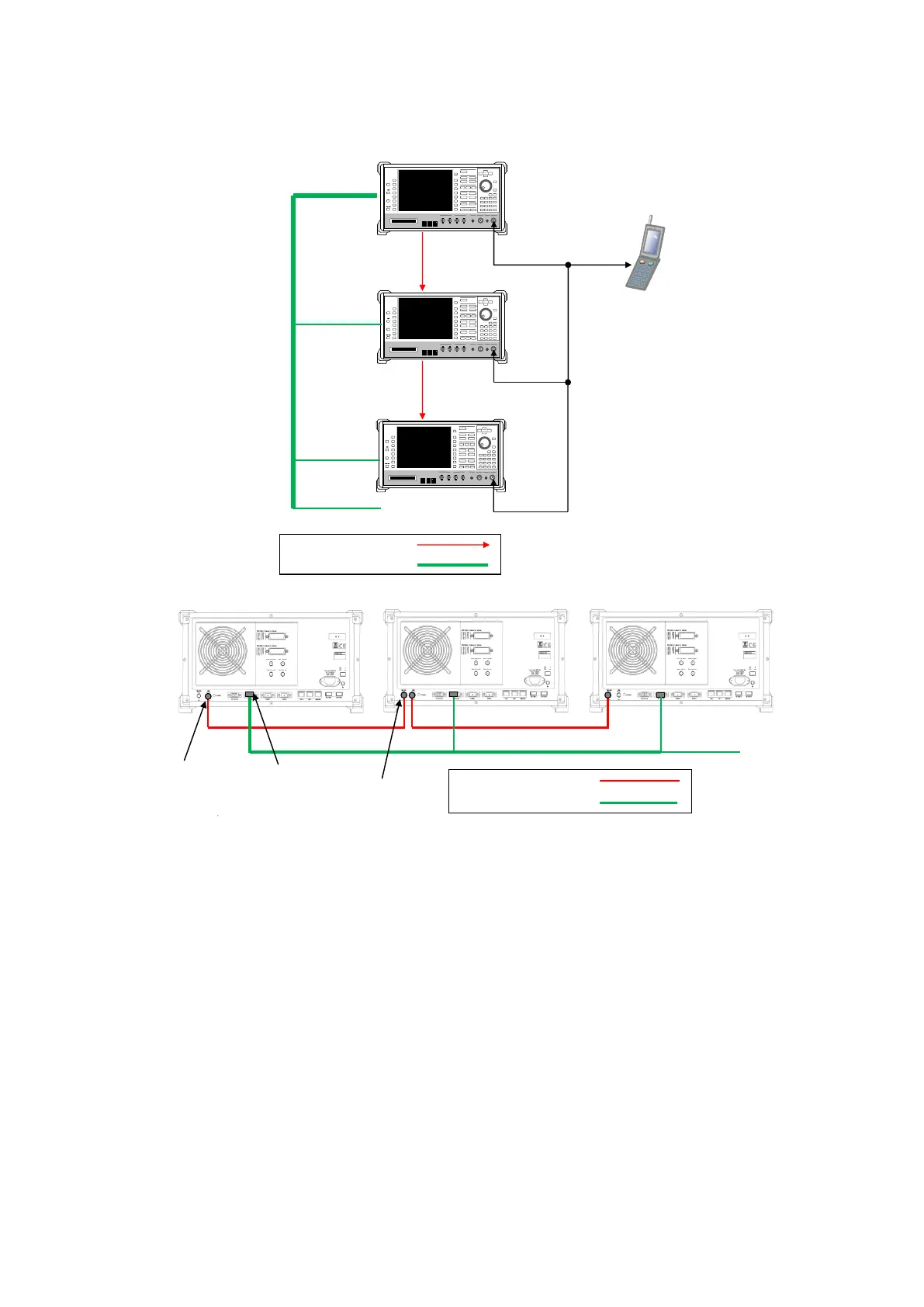
<Using three MT8820C units>
1. Connect three MT8820C units as shown in the figure below.
BNC cable
Synchronous cable J1606A
BNC cable
Synchronous cable J1606A
J1606A J1606A
Connection Example for FDD DL CA 3CCs Testing (using three MT8820C units)
2. [SCC-1/2] Execute REF 10MHZEXT to Ref. Frequency to 10 MHz (EXT).
3. [SCC-1/2] Execute ENTERSYNC EXT_SLAVE to set the frame timing synchronization processing slave status.
4. [PCC] Execute ENTERSYNC MASTER to perform frame timing synchronization processing.
5. [SCC-1/2] Execute ENTERSYNC? to query the call processing status.
6. [SCC-1/2] Check that the response of step 5 is 1 (synchronization established).















 To Next Page