Assembly Replacement 6-4 SPA and MB/VNA N Connector Replacement
S3xxE MM PN: 10580-00253 Rev. J 6-5
6-4 SPA and MB/VNA N Connector Replacement
This procedure provides instructions to replace the N connector attached to the SPA (if installed) or MB/VNA
assembly.
1. Open the case as described in Section 6-1 “Opening the Site Master Case”.
2. Remove the PCB assembly from the front panel as described in Section 6-2 “PCB Assembly Removal”.
3. Remove the SPA assembly as described in Section 6-3 “SPA Assembly Replacement”.
4. If removing the MB/VNA N connector, remove the top plate from the MB/VNA.
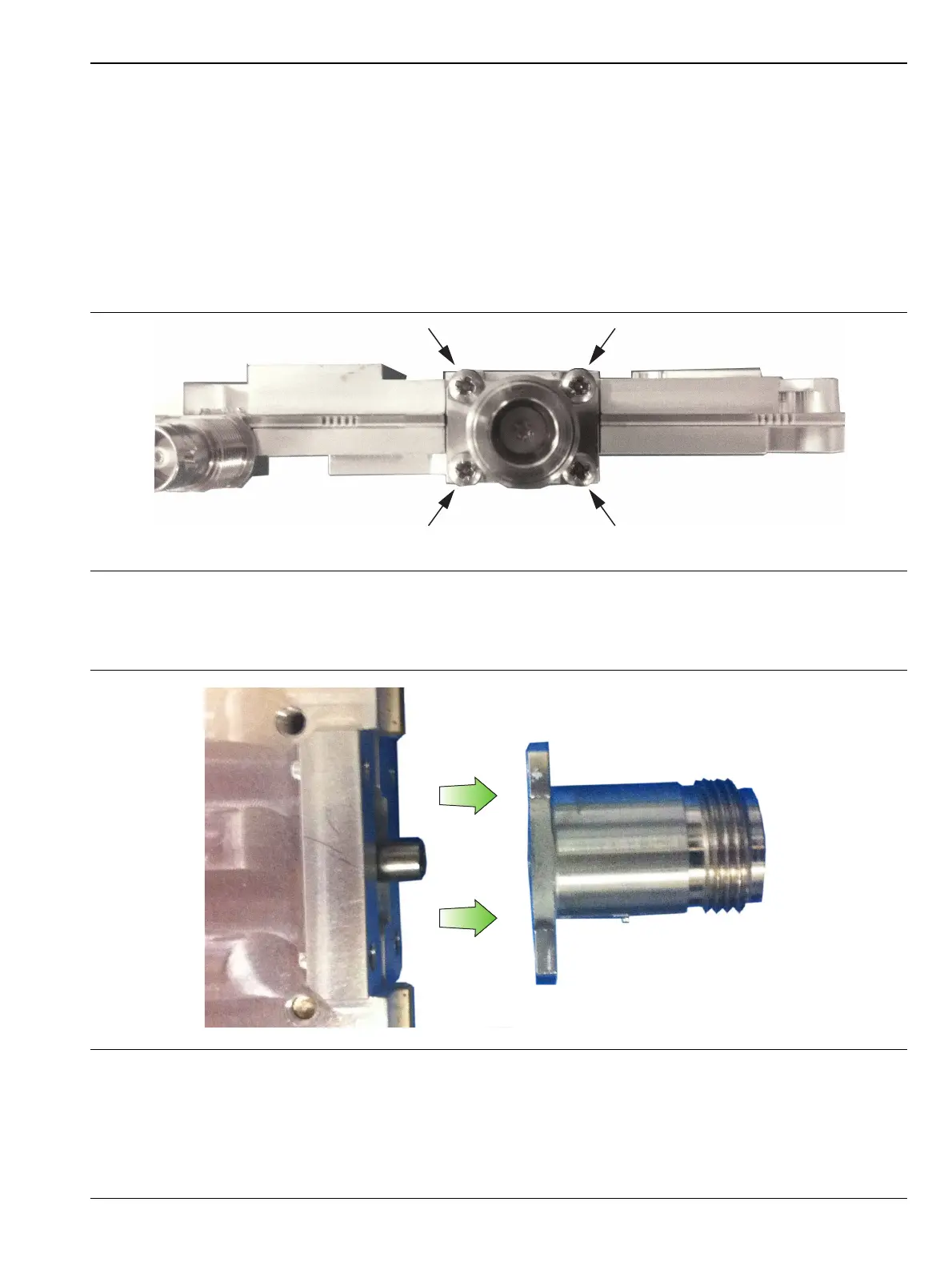
5. Remove the four screws attaching the N connector to the shield (Figure 6-6).
6. Disconnect the N connector from the SPA or MB/VNA by gently pulling the N connector away from the
SPA or MB/VNA (Figure 6-7).
7. Installation is the reverse of removal. The torque setting for the screws is 7.5 lbf·in (0.85 N·m).
Figure 6-6. Remove 4 Screws
Figure 6-7. Remove N Connector from SPA or MB/VNA











 To Next Page