11
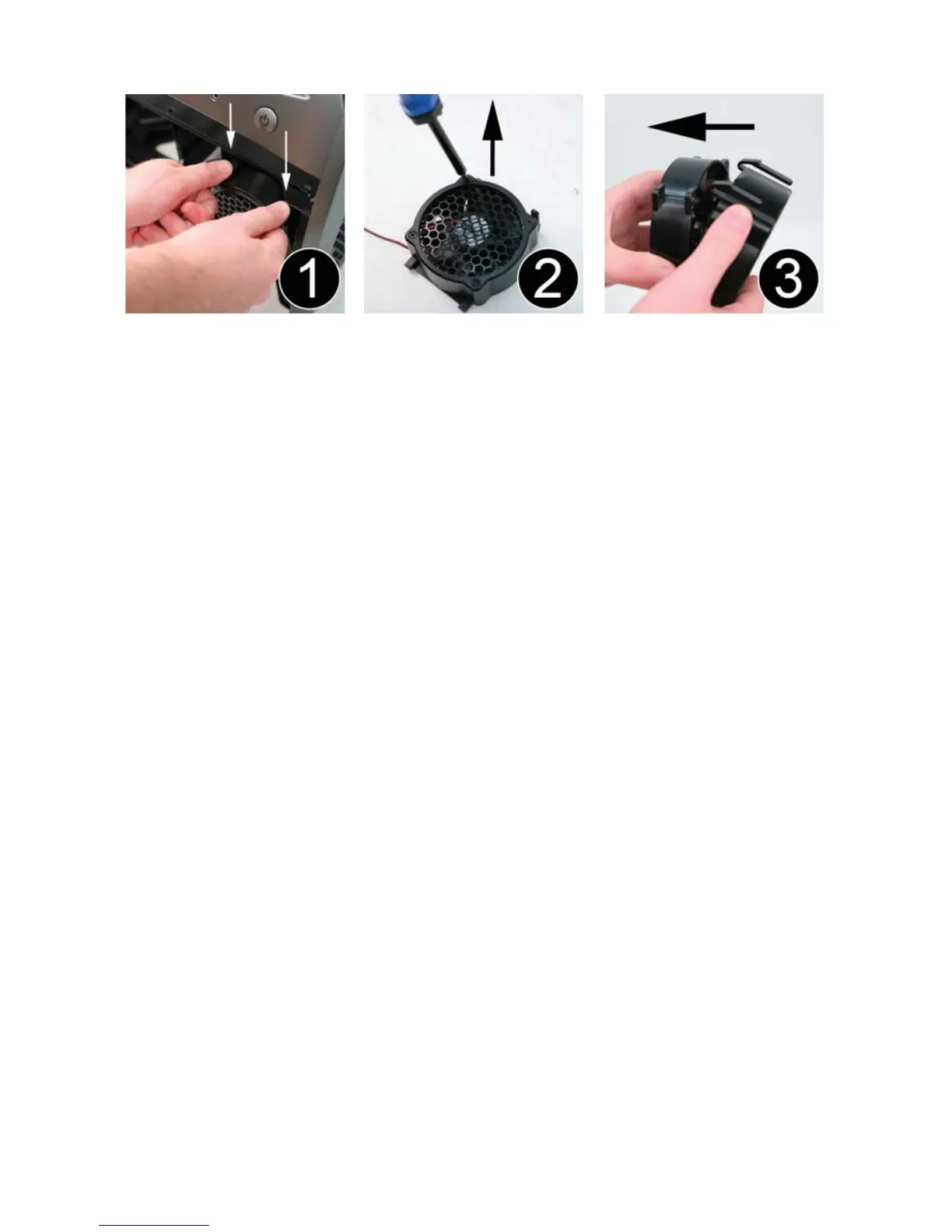
4.3 Removing the 92 mm Hard Drive Fan
Ensure that the fan power cable is disconnected before removing the fan.
1. While facing the front of the case, depress the two tabs on the top of the
92mm fan and detach it from the front of the hard drive housing.
2. Remove the four screws on the front of the fan casing.
3. Pull the fan out of the fan housing.



 To Next Page