2
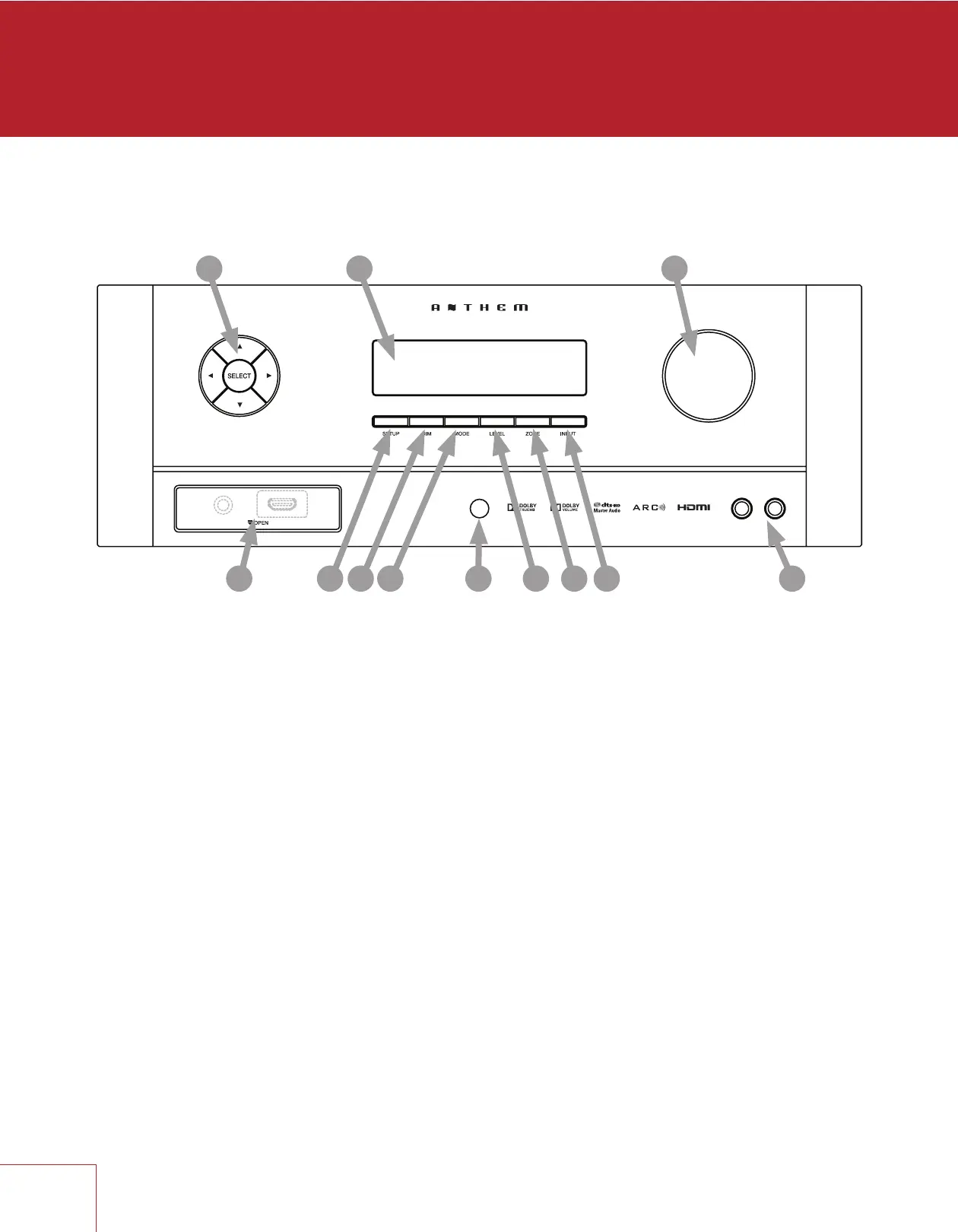
1.3 FRONT PANEL
MRX 710 shown, others are similar. For a larger diagram see inside back cover.
1 – Navigation buttons
2 – Display
3 – Volume, level functions, and character selection
4 – Power / standby
5 – Input selection
6 – Zone 2 selection
7 – Level selection
8 – Remote control sensor location
9 – Mode selection
10 – Display brightness
11 – Setup menu selection
12 – HDMI jack (MRX 710/510), headphone jack (behind cover)
ZONE 2MAIN
MRX 710
1 2
910
3
4678
12
11 5



 To Next Page