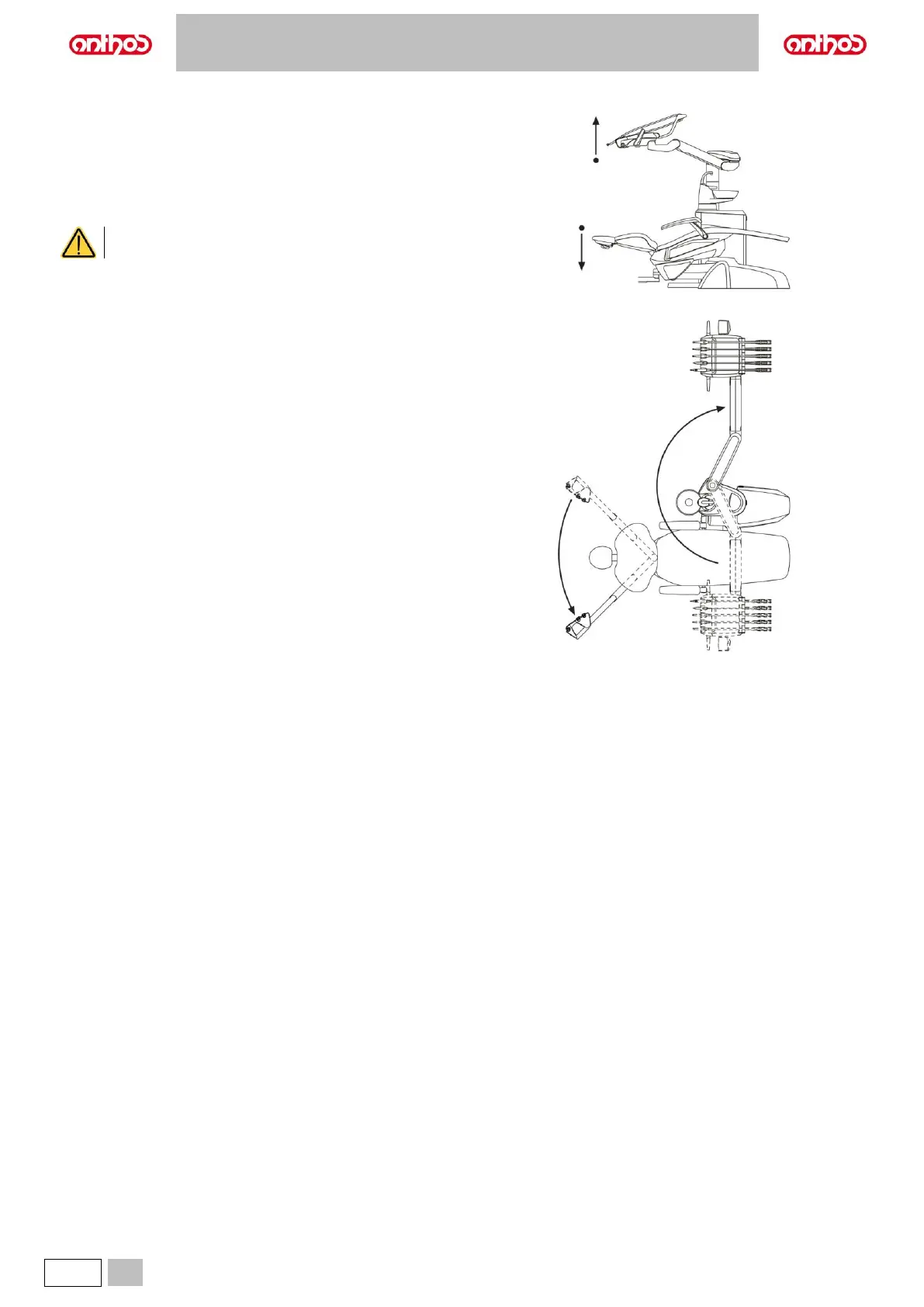
To reverse dental unit configuration, proceed as follows:
• Lower the dental chair and the backrest until the headrest is lower than
the water unit.
• Lift the dentist’s board up to its highest position.
• Turn the dentist’s board arm over the dental chair to reach the outer
side of the water unit and continue turning until reaching the end of
travel.
• Move the dentist’s board arm back to the required position and place
the pantograph arm and the board in the optimal work positions.
• Now lift the backrest and move the assistant's board from the water unit
side to the opposite side, aiming it in the required direction.
• Finally, reverse the dentist’s board console position (see paragraph 5.).
To set the machine back to a configuration suitable for right-handed
people, repeat the indications from the first point, but reversing the
rotations of arms.



 To Next Page