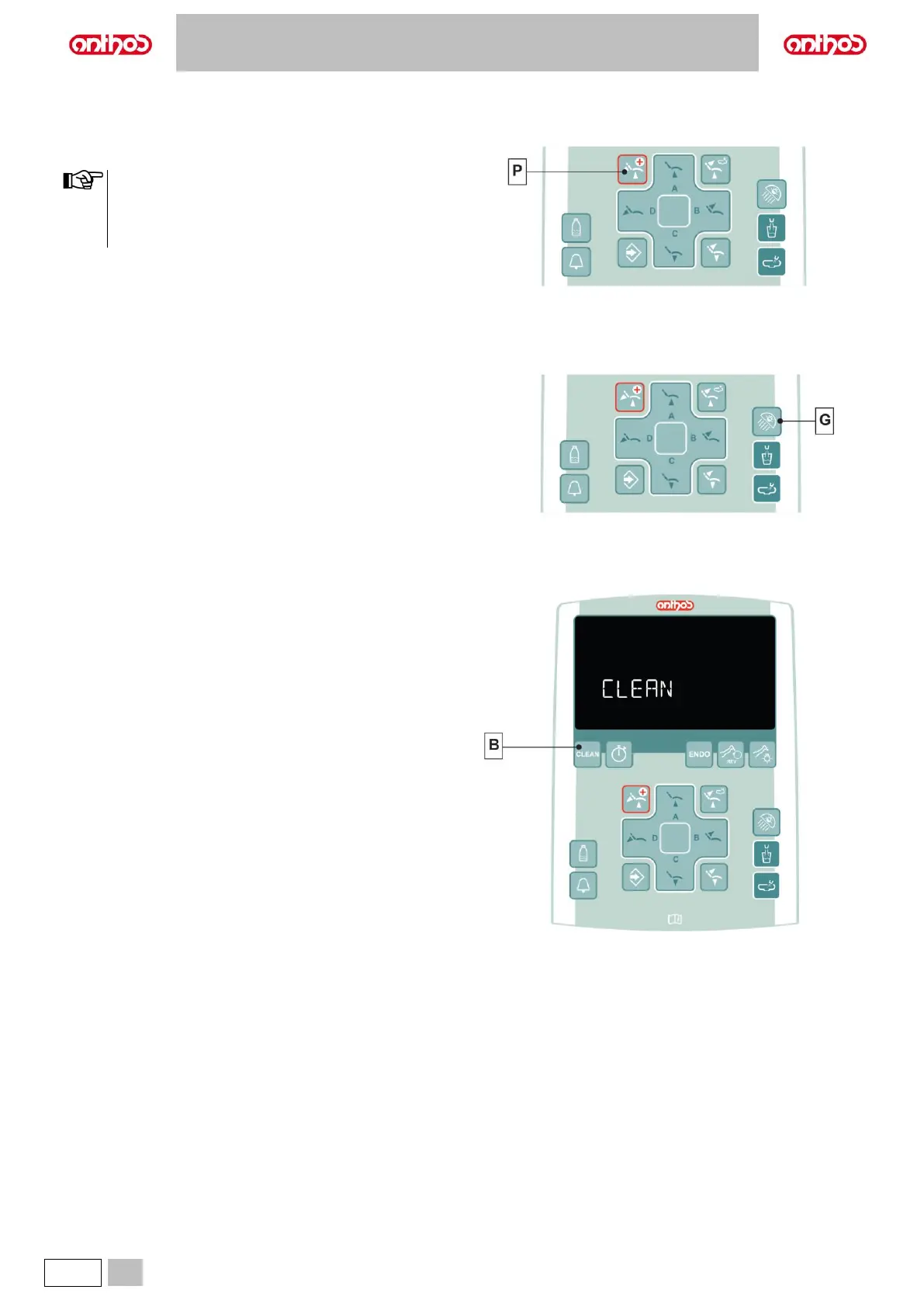
The button (P) can be used in the event of an emergency to move the
patient into the Trendelenburg position.
• The Trendelenburg position is already set and cannot be
changed
• For L6 series:
the emergency position is not activated if the bowl is in the
interference area (see paragraph 4.1).
5.1.6. TURNING ON THE OPERATING LIGHT
Press the button (G) to turn on/off the operating light.
5.1.7. CONSOLE CONTROL PANEL LOCKING BUTTON
Press this button to enable/disable the control panel and the LCD Touch
DISPLAY (if any) in order to easily carry out console cleaning operations.
• Press button (B) for at least 5 seconds to disable the control panel and
the LCD Touch DISPLAY (if any).
• Press again button (B) for at least 5 seconds to re-enable the control
panel and the LCD Touch DISPLAY (if any).



 To Next Page