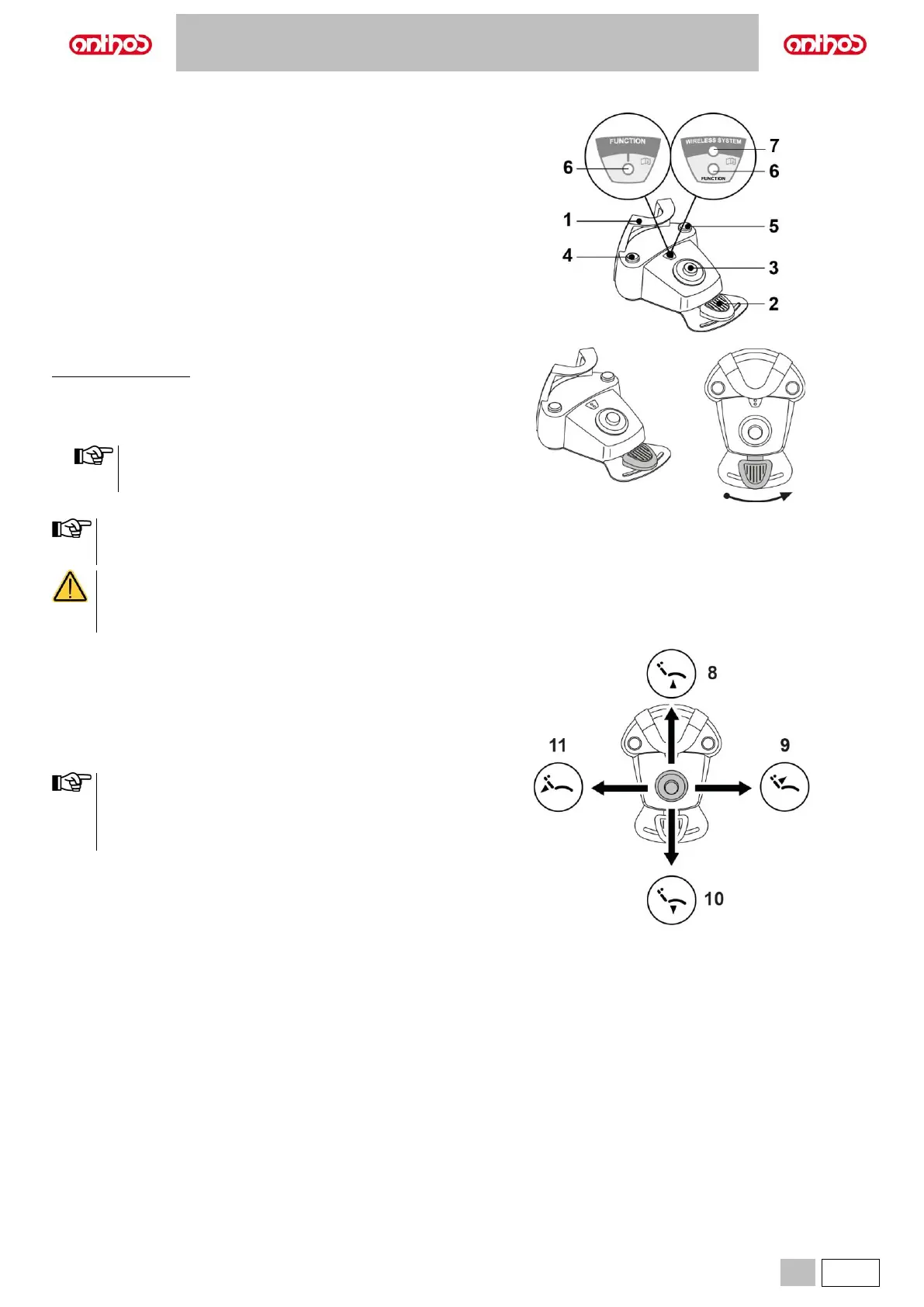
5.2.2. "PUSH-PEDAL” FOOT CONTROL
Description of the parts.
1 Handle.
2 Control lever.
3 Dental chair movements.
4 Chip-air/Patient rinse position recall control.
5 Water Clean System/Automatic dental chair return control.
6 Spray operation LED.
7 Battery charge LED (wireless version only).
Control lever (2).
With instrument removed
• Pushing the pedal (2) for a long time starts the instrument.
• Shifting the pedal (2) adjusts speed/power of the instrument:
- to the right: increase;
- to the left: decrease.
The control lever adjusts the speed/power of the instrument
from the minimum to the maximum value set from the
dentist's board.
Release the pedal (2) to stop instrument operation.
With the spray active, at the end of the operation a blast of air is
automatically activated to remove any residual drops of liquid in
the spray ducts.
• A short sound warns of the switching.
When the LED (6) is on, it indicates operation WITH spray.
• When the pedal (2) is pressed, all automatic dental chair
movements are automatically blocked.
Joystick for dental chair movements (3).
It controls the following movements:
8 Dental chair seat up.
9 Dental chair backrest up.
10 Dental chair seat down.
11 Dental chair backrest down.
To stop movement, release the control.
• All the buttons used to move the dental chair are inoperative
when an instrument is removed and the foot control lever is
actuated.
• It is possible to edit the joystick operation once the instrument
is extracted (see paragraph 5.1.1.7.).



 To Next Page