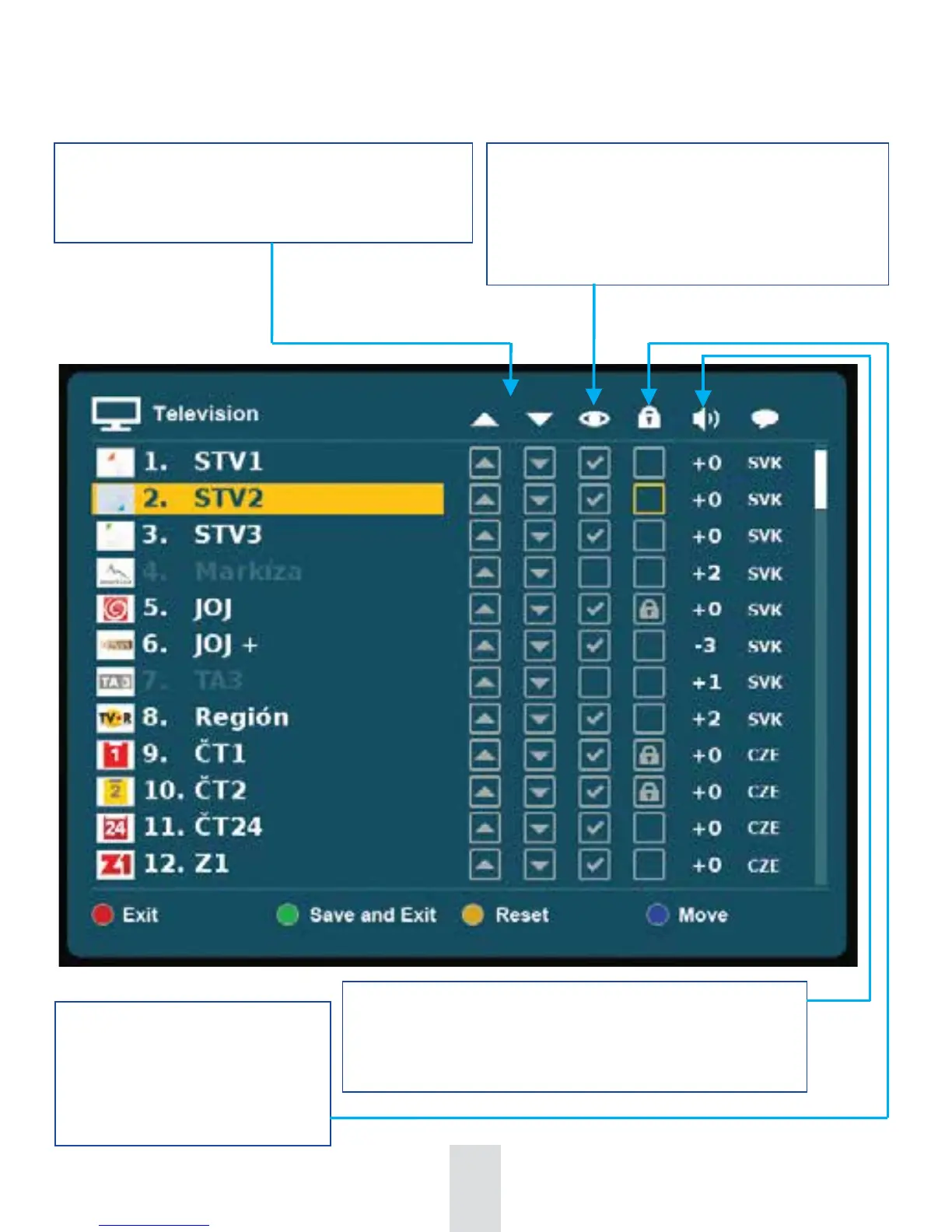
Parental Lock. Mark it by pressing
the OK button on remote control.
Such a marked channel is
watchable only after entering a
chosen parental password.
Skip a channel. Mark it by pressing the OK button
on remote control. All marked channels are
transferred at the end of the order of Channel Editor
where you can unmark them, too.
Change order of the channels by selecting one of the
arrows and confirm it by pressing the OK button on
remote control.
Individual adjustment of sound level for each channel. Press
OK button to activate it and adjust it by left/right arrows on
remote control.
76


 To Next Page