SETTINGS – OTHER SETTINGS
Use right arrow to enter the right side of Settings. Use Menu button to return to the
left side of Settings
80
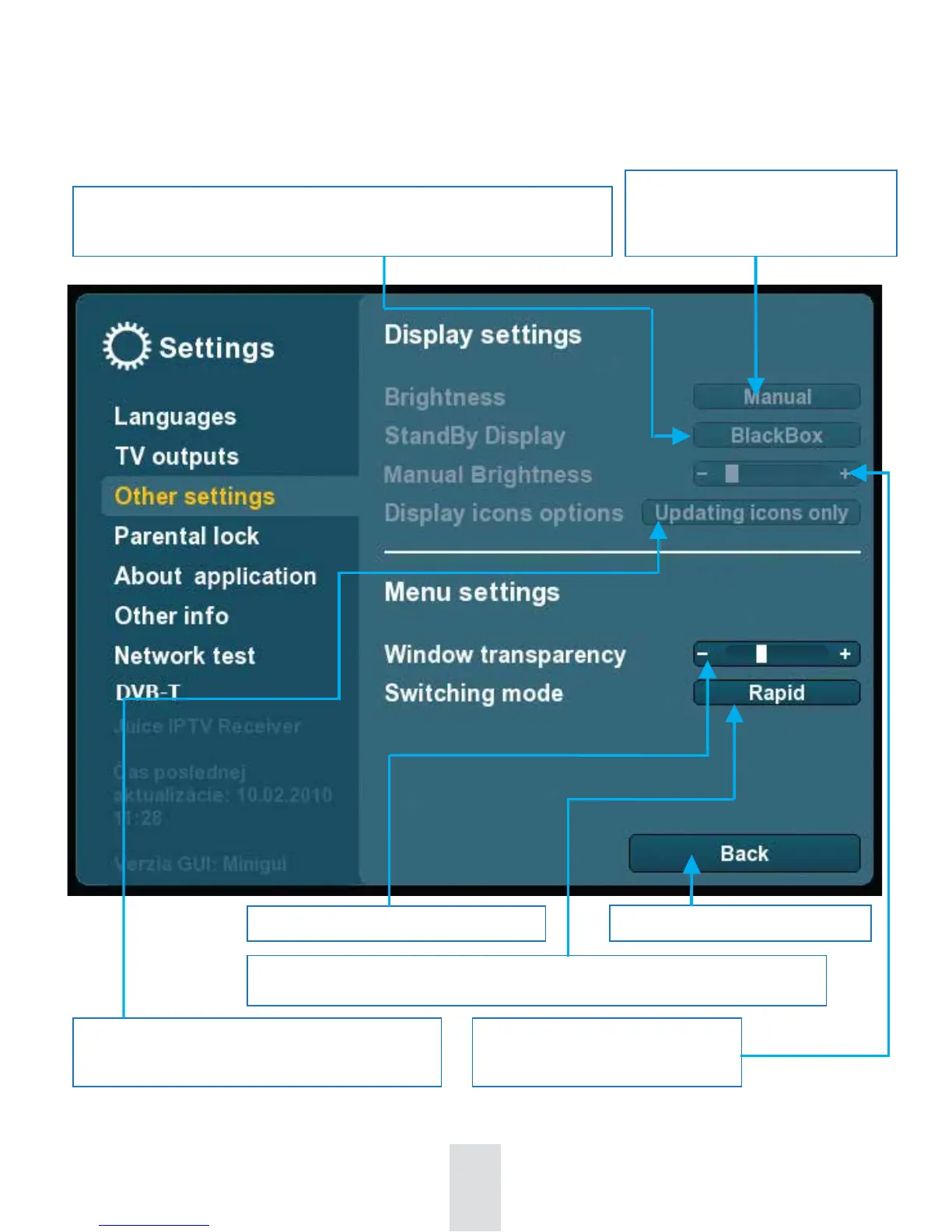
StandBy Display: Selection of display choices while set-top box is in
StandBy mode: Screensaver / BlackDisplay / Clock
Display brightness setting: Setting
of display brightness: Manually
/ Automatically
Transparency setting of Menu window.
Switching mode setting.
Rapid: Quick switching mode. Effect: slower more elegant mode of switching
Return to the left side of Settings
Use it when Display brightness
seting is set on Manually
Enable to display only chosen types of icons
– All icons, No icons, Updating icons only



 To Next Page