96
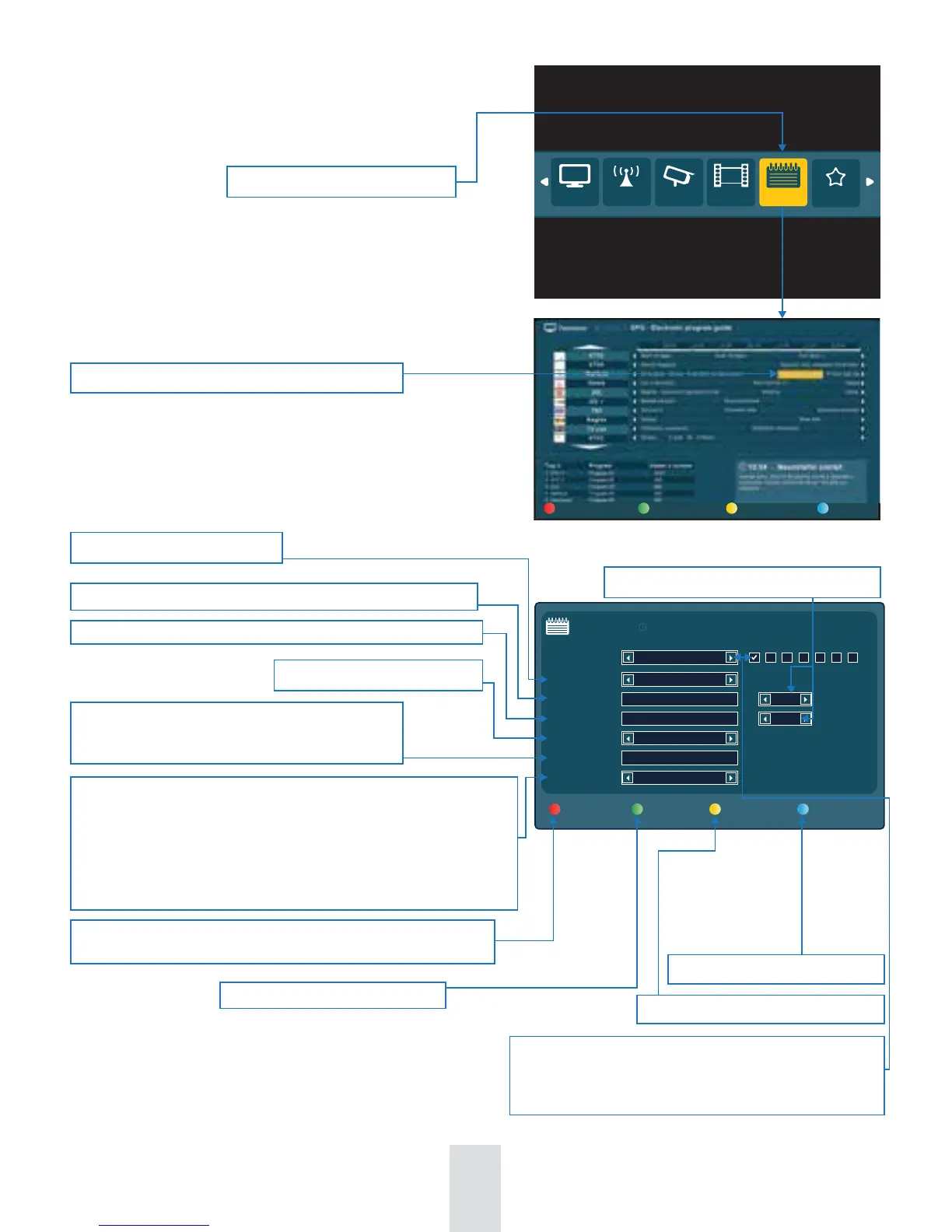
Conrmation of selected Time recording parameters and saving it into the
“Planned” list.
1. Erase Anytime - In case of full disc capacity erase a program with no warning
- Low priority
2. Warm before Erase - In case of full disc capacity a warning window pop-ups
- Conrmation for erase is needed - Medium priority
3. Only manual Erase - In case of full disc capacity no automatic erase allowed
- Only manual deleting permitted - High priority
TV
Radio Cameras
Recording
Media portal
Record plan
Recording based on real time values-From-To.
Select Record plan in Basic menu
Press green button for Time recording Menu
Select day for Time recording
Start time of Time recording (choose by numeric keys on remote control)
Finish time of Time recording (choose by numeric keys on remote control)
Selected channel for Time recording
Select name for recorded program by numeric buttons
on remote control - letters deleting by “0” zero button
on remote control.
Window of “Recorded” programs shows up
Selection of recording periodicity:
1. One-o - single record with no repetition
2. Repeated - for recording with regular repetition. Select days of
the week for repeated recording by pressing the OK button.
Close up Time recording window
New time recording window shows up
3. Time recording
EPG record Time record Recorded Disc info
18:25
Save and record Next record
Time record
RECORD:
Record plan
Recorded Close
Day:
Record from:
Record to:
Channel:
Save as:
Saving priority:
12/4/2012
19:30
21:30
BBC
Addams Family
Only manual erase
Repeated
Mon Tue Wed Thu Fri
Sat Sun
10 min.
10 min.
±
±
Adjustment of start / nish Time for recording


 To Next Page