EasyManua.ls Logo

AnyCubic MEGA ZERO - Page 22

AnyCubic MEGA ZERO
47 pages
Print Icon
To Next Page IconTo Next Page
To Previous Page IconTo Previous Page
Loading...
Leveling
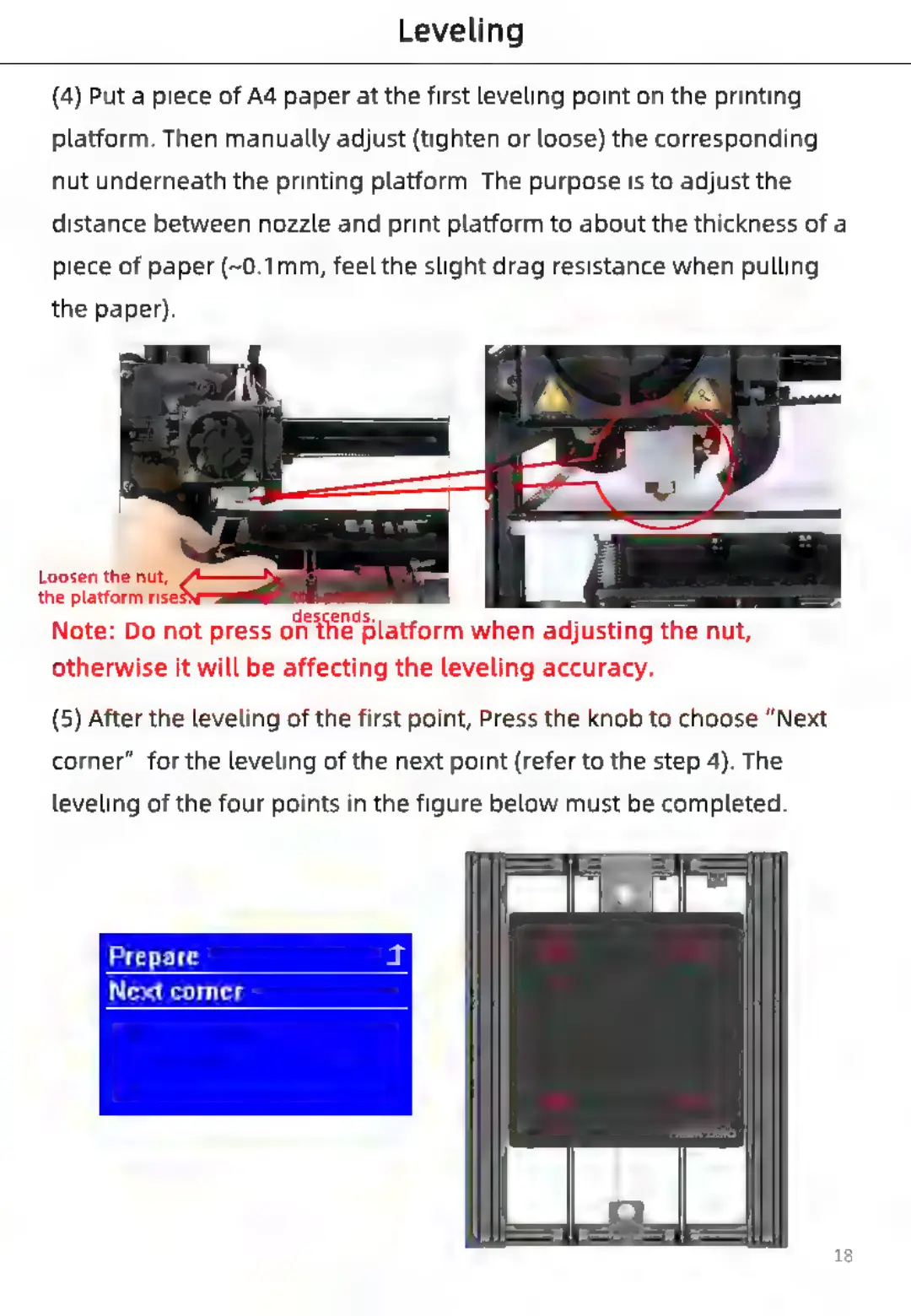
(4)
Put
a
piece
of
A4
paper
at
the
first
leveling
point
on
the
printing
platform.
Then
manually
adjust
(tighten
or
loose)
the
corresponding
nut
underneath
the
printing
platform.
The
purpose
is
to
adjust
the
distance
between
nozzle
and
print
platform
to
about
the
thickness
of
a
piece
of
paper
(~0.1mm,
feel
the
slight
drag
resistance
when
pulling
the
paper).
Loosen
the
nut,
@——-%
*
oc
the
platform
ris:
a "
ii
'
Note:
Do
not
press
on
the
Platform
when
adjusting
the
nut,
otherwise
it
will
be
affecting
the
leveling
accuracy.
(5)
After
the
leveling
of
the
first
point,
Press
the
knob
to
choose
“Next
corner”
for
the
leveling
of
the
next
point
(refer
to
the
step
4).
The
leveling
of
the
four
points
in
the
figure
below
must
be
completed.
Prepare
Next
corner
18

Related product manuals