EasyManua.ls Logo

AnyCubic MEGA ZERO - Driver Installation

AnyCubic MEGA ZERO
47 pages
Print Icon
To Next Page IconTo Next Page
To Previous Page IconTo Previous Page
Loading...
Driver
installation
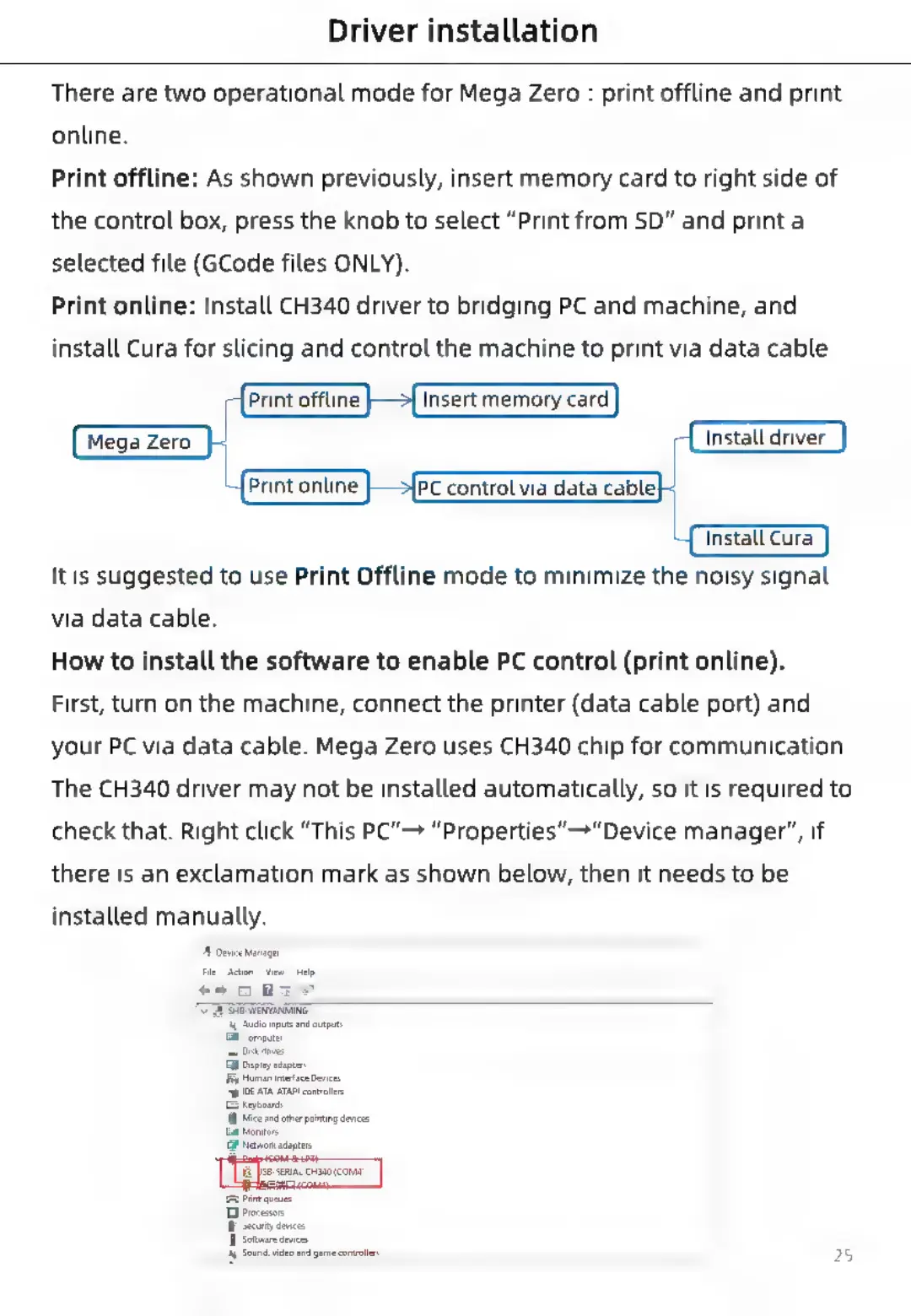
There
are
two
operational
mode
for
Mega
Zero
:
print
offline
and
print
online.
Print
offline:
As
shown
previously,
insert
memory
card
to
right
side
of
the
control
box,
press
the
knob
to
select
“Print
from
SD”
and
print
a
selected
file
(GCode
files
ONLY).
Print
online:
Install
CH340
driver
to
bridging
PC
and
machine,
and
install
Cura
for
slicing
and
control
the
machine
to
print
via
data
cable.
r
Install
driver
|
PC
control
via
data
cable}
(install
Cura
It
is
suggested
to
use
Print
Offline
mode
to
minimize
the
noisy
signal
via
data
cable.
How
to
install
the
software
to
enable
PC
control
(print
online).
First,
turn
on
the
machine,
connect
the
printer
(data
cable
port)
and
your
PC
via
data
cable.
Mega
Zero
uses
CH340
chip
for
communication.
The
CH340
driver
may
not
be
installed
automatically,
so
it
is
required
to
check
that.
Right
click
“This
PC”
“Properties”
"Device
manager”,
if
there
is
an
exclamation
mark
as
shown
below,
then
it
needs
to
be
installed
manually.
Di
Process
I
Sect
device

Related product manuals