EasyManua.ls Logo

AnyCubic MEGA ZERO - Print Model

AnyCubic MEGA ZERO
47 pages
Print Icon
To Next Page IconTo Next Page
To Previous Page IconTo Previous Page
Loading...
Print
model
1,
Filamentin
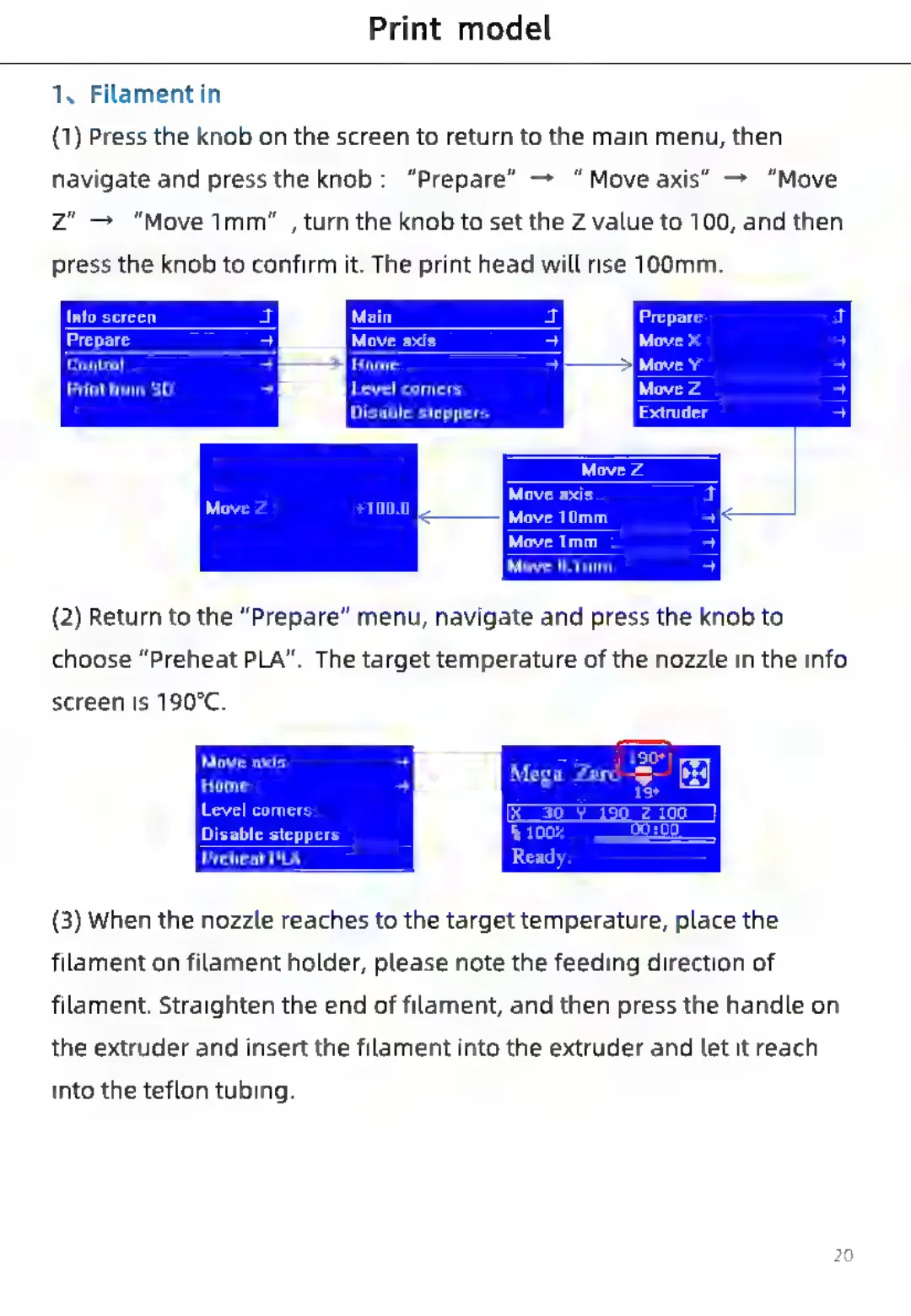
(1)
Press
the
knob
on
the
screen
to
return
to
the
main
menu,
then
navigate
and
press
the
knob:
“Prepare”
“Move
axis”
>
“Move
Zz"
“Move
1mm"
,
turn
the
knob
to
set
the
Z
value
to
100,
and
then
press
the
knob
to
confirm
it.
The
print
head
will
rise
100mm.
Info
screen
Prepare
axis
Control
Home
Print
from
SD
Level
corners
Disable
steppers
—§|
DE
Move
0.1mm
(2)
Return
to
the
“Prepare”
menu,
navigate
and
press
the
knob
to
choose
“Preheat
PLA”.
The
target
temperature
of
the
nozzle
in
the
info
screen
is
190°C.
Move
axis
si
eee
Mega
Zero
Level
comers
Disable
steppers
Preheat
PLA
(3)
When
the
nozzle
reaches
to
the
target
temperature,
place
the
filament
on
filament
holder,
please
note
the
feeding
direction
of
filament.
Straighten
the
end
of
filament,
and
then
press
the
handle
on
the
extruder
and
insert
the
filament
into
the
extruder
and
let
it
reach
into
the
teflon
tubing.

Related product manuals