EasyManua.ls Logo

AnyCubic MEGA ZERO - Cura Installation

AnyCubic MEGA ZERO
47 pages
Print Icon
To Next Page IconTo Next Page
To Previous Page IconTo Previous Page
Loading...
Introduction
to
slicing
software
Introduction
of
slicing
software:
@Cura
installation,
@Machine
settings,
@®Import
the
configuration
file
,@
Manipulate
3D
model
in
Cura,
@Slice
and
preview,
Print
online,
@Print
offline
1.
Cura
installation
3D
printer
reads
Gcode
file
and
prints.
It
is
necessary
to
convert
3D
files
(such
as
stl
file)
into
Gcode
files
for
machine
to
recognize.
Software
that
convert
3D
files
into
Gcode
files
is
called
slicing
software.
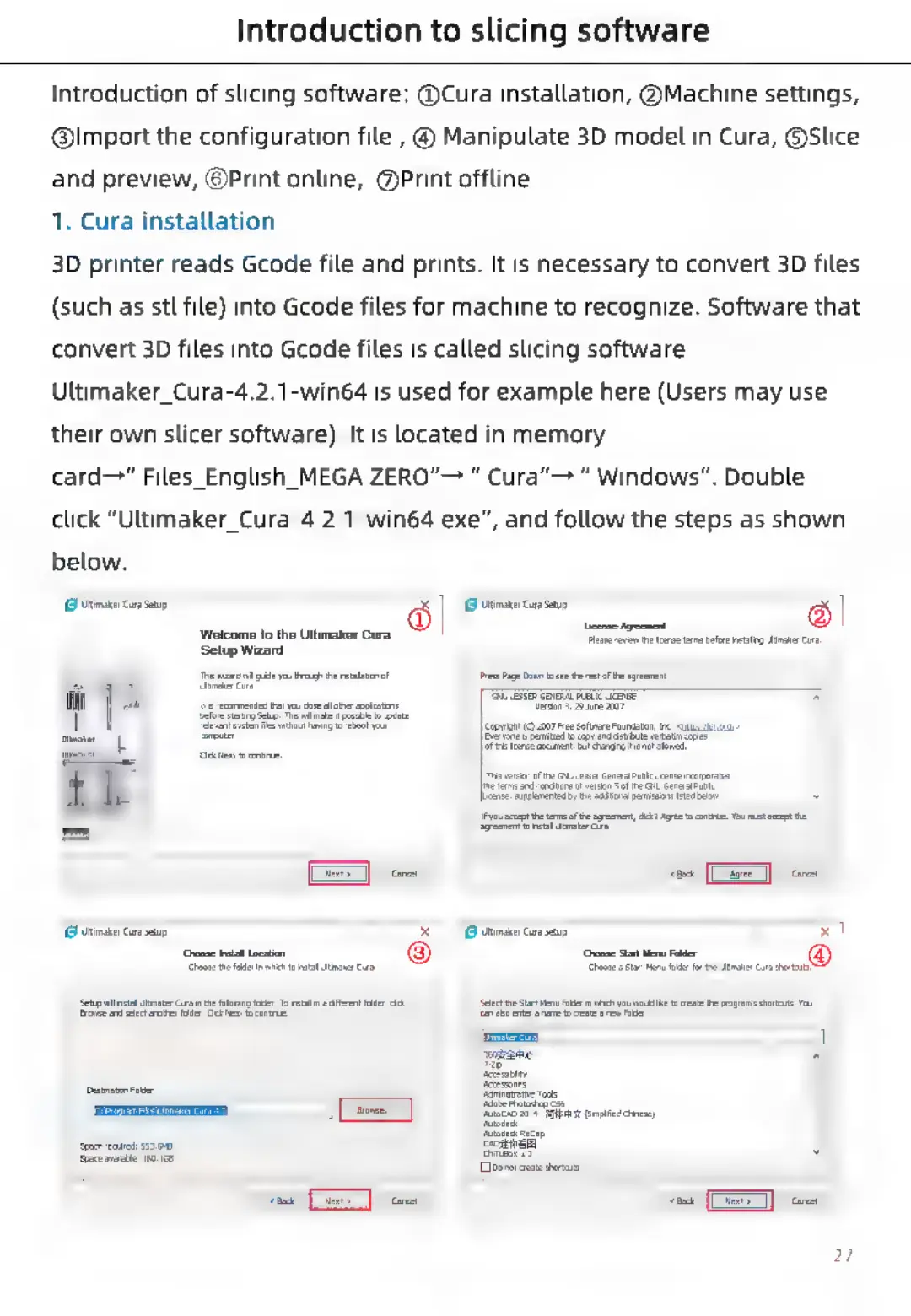
Ultimaker_Cura-4.2.1-win64
is
used
for
example
here
(Users
may
use
their
own
slicer
software).
It
is
located
in
memory
card"
Files_English_MEGA
ZERO”
Cura”
Windows”.
Double
click
“Ultimaker_Cura-4.2.1-win64.exe”,
and
follow
the
steps
as
shown
below.
[GB
WeimaterCura
Sep
=
6
(Gi
timate
Cua
Sep
=
S
lean
reve
eee
am
eine
alg
Ur
Cr
Wolcomo
to
the
Ullimakor
Cura
Setup
Wizard
rr
ne
nator
Tepe
eitloe
‘Sync
ett
te
agement
age
ocr
Young
he
j=
coe
(Cae
|
oot
[GB
WeimaterCura
Sexe
=
(Gi
vitinater
Cua
Sep
=
¥
Saini,
SS
cae
«
peer
rer
oe
a
ose
reared:
$3540
cs
SHE
6.1
(torotcxsi
thera
a
Des]
Gea

Related product manuals