EasyManua.ls Logo

AnyCubic MEGA ZERO - Page 26

AnyCubic MEGA ZERO
47 pages
Print Icon
To Next Page IconTo Next Page
To Previous Page IconTo Previous Page
Loading...
Print
model
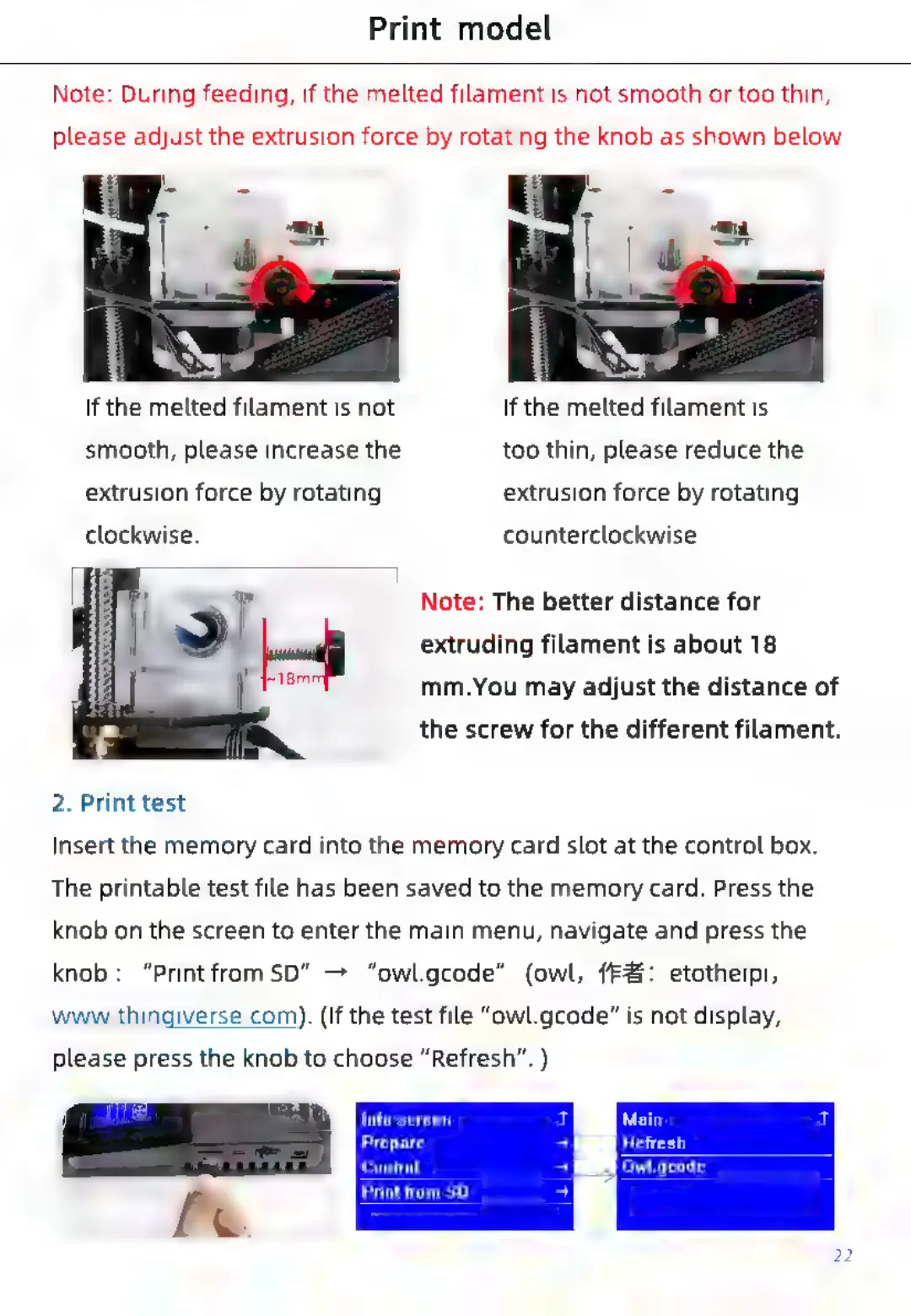
Note:
During
feeding,
if
the
melted
filament
is
not
smooth
or
too
thin,
please
adjust
the
extrusion
force
by
rotating
the
knob
as
shown
below.
If
the
melted
filament
is
not
If
the
melted
filament
is
smooth,
please
increase
the
too
thin,
please
reduce
the
extrusion
force
by
rotating
extrusion
force
by
rotating
clockwise.
counterclockwise.
Note:
The
better
distance
for
extruding
filament
is
about
18
mm.You
may
adjust
the
distance
of
the
screw
for
the
different
filament.
2.
Print
test
Insert
the
memory
card
into
the
memory
card
slot
at
the
control
box.
The
printable
test
file
has
been
saved
to
the
memory
card.
Press
the
knob
on
the
screen
to
enter
the
main
menu,
navigate
and
press
the
knob:
“PrintfromSD”
—>
“owl.gcode”
(owl,
ff#:
etotheipi,
www.thingiverse.com).
(If
the
test
file
“owl.gcode”
is
not
display,
please
press
the
knob
to
choose
“Refresh”.
)
Info
screen
Prepare
Ret
Control
Owl.gcode
Print
from
SD

Related product manuals