MHPTV TX Quick Start Guide
MHPTV-QSG-DOC-V1.1, 12/05/2018 Page 30 of 37
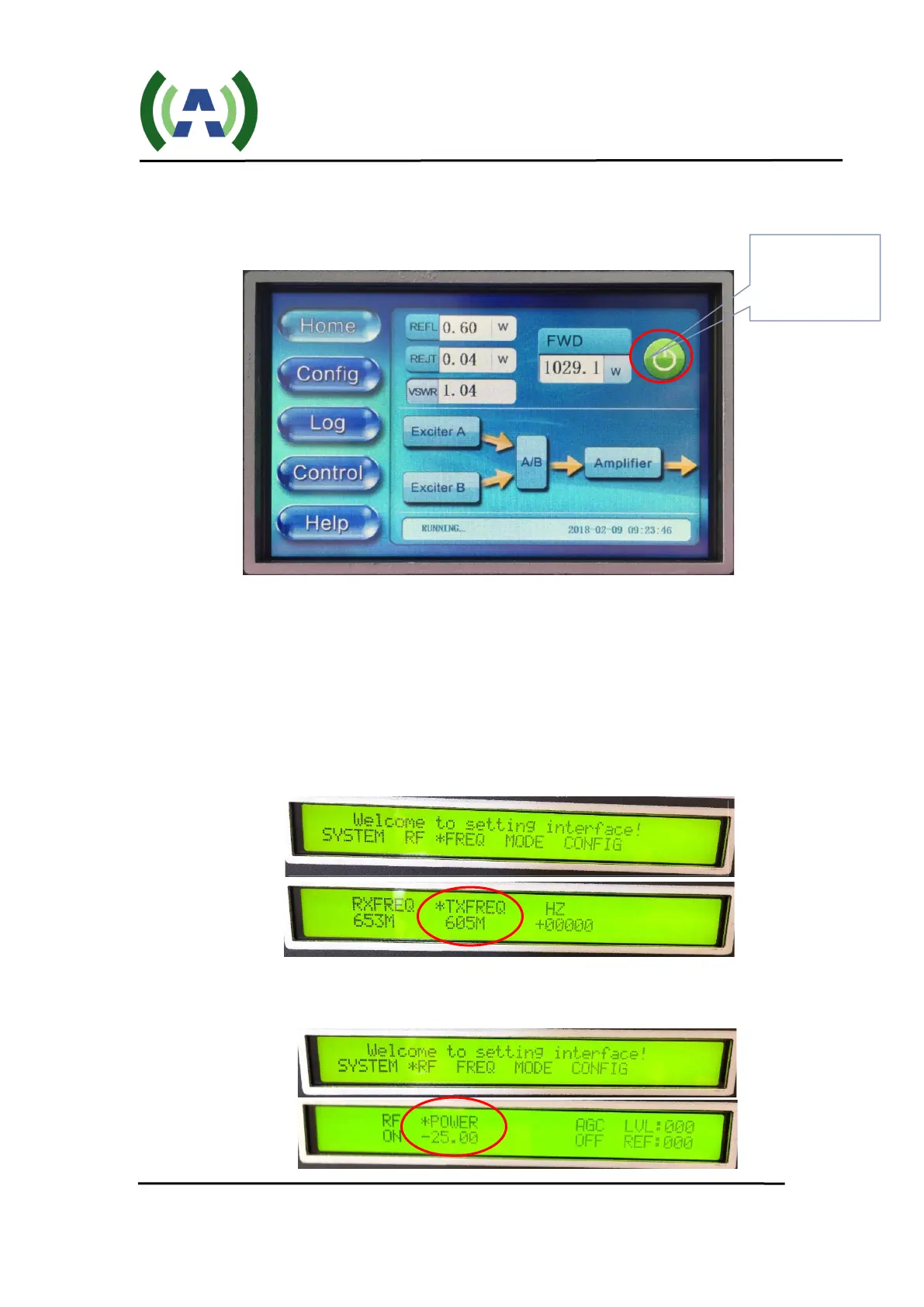
It takes a few seconds for the Controller to power up and display the HOME
screen (shown below). Please note that the values will be different as the TX
initially turns ON at a reduced power level.
The Controller HOME touchscreen display will indicate System Forward
(FWD), Reflected (REFL), and Reject Load (REJT) output power in Watts in
real-time.
2. Check Exciter settings. Check the operating Frequency of the Exciter by
navigating to the Exciter FREQ submenu (simultaneously press Left and Right
buttons)
Check the Exciter drive level is set to -25dBm by navigating to the Exciter
RF submenu (from above, press ESC button then enter the RF submenu).
(Green = ON,
Red = OFF)


 To Next Page